
Compulsory questions and display
Controls how compulsory questions, guidance text, and selection controls are enforced and displayed in the questionnaire.
Compulsory questions
Defines the level of enforcement applied to compulsory questionnaire questions when users navigate between pages or close the questionnaire. Available options include:
- Always enforce– Requires users to answer all compulsory questions on the current questionnaire page before navigating away.
- Enforce except when navigating to the previous page– Allows users to navigate to previous pages without answering compulsory questions but prevents navigation to subsequent pages until they are answered.
- Enforce except when navigating to the previous page or closing the questionnaire– Same as the previous option, but also allows users to Save and Close the questionnaire with compulsory questions unanswered.
- Never enforce– Allows users to navigate freely regardless of whether compulsory questions are answered or not.
Alignment of radio/checkbox buttons for Yes/No questions
Controls how radio buttons or checkboxes for Yes/No questions are aligned in the questionnaire.
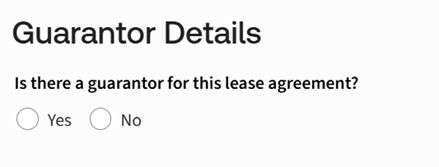
- Horizontal– Displays Yes/No radio buttons or checkboxes side by side on a single line.
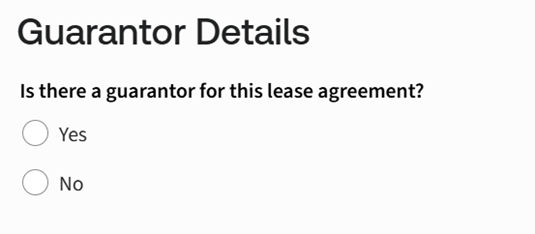
- Vertical– Displays Yes/No radio buttons or checkboxes stacked vertically, one below the other.
Alignment of radio/checkbox buttons for text selection questions
Controls how radio buttons or checkboxes for text selection questions are aligned in the questionnaire.
- Horizontal– Displays text selection options side by side on a single line.

- Vertical– Displays text selection options vertically, one option per line.

Display of guidance text
Controls how guidance text associated with questionnaire questions is displayed to users.
- Do not show any guidance– Hides all guidance text from the questionnaire.
- Popup guidance on demand– Displays guidance only when the user chooses to view it.
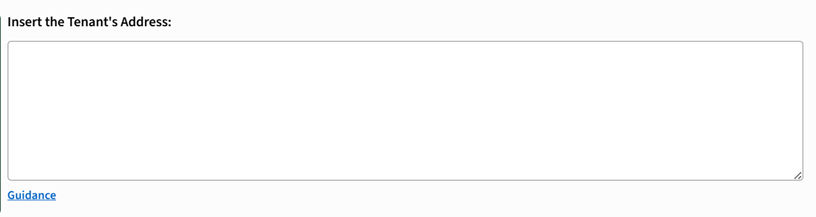 and when you click on Guidance, the message expands to show complete details.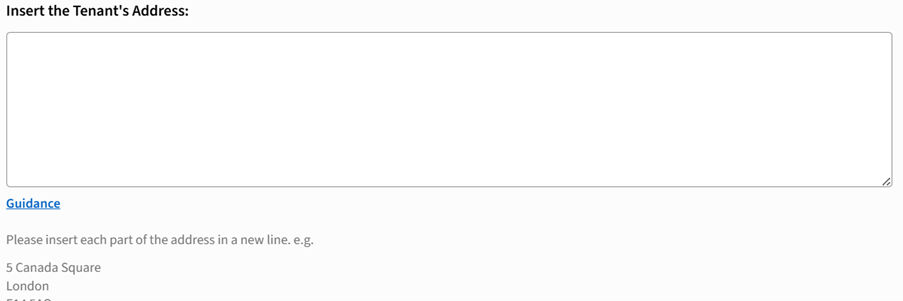
- Show all guidance– Always displays guidance text directly below the relevant question.
Enforce a single checkbox question to be checked
Controls whether a single checkbox question must be selected before the questionnaire can proceed.
- Yes– Requires the checkbox to be checked before the user can continue.
- No– Allows the user to continue without selecting the checkbox.
Related Content
-
Questionnaire
Format: Article