
Unsure and defer
Controls whether users can mark answers as sure, unsure, or deferred, and how those selections behave in the questionnaire and generated document.
Allow all answers to be sure, unsure or deferred
Controls whether users can indicate their confidence level for each questionnaire answer.
- Yes– Adds a selector to every question, allowing users to mark answers asSure,Unsure, orDefer.
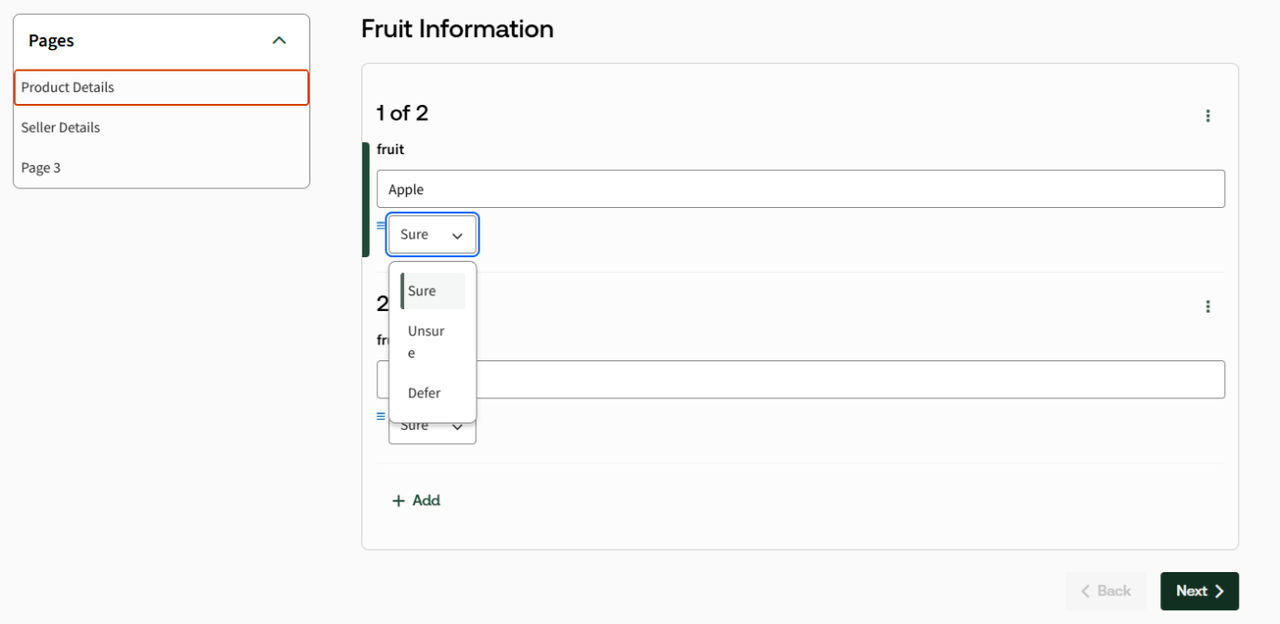
- No– Does not display options; users can answer questions normally.
note
In versions 8.10.8 and below, this setting is described as
Allow answers to be deferred or unsure
.Display sure, unsure, and defer options
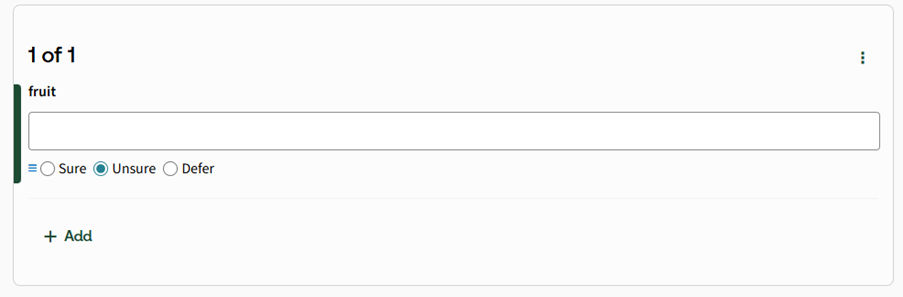
Controls how the sure, unsure, and defer options are presented in the questionnaire.
- Dropdown selection list– Displays the options in a dropdown control.
- Radio buttons– Displays the options as radio buttons directly below the question.
The threshold above which the unsure options are wrapped in a vertical scrollbar
Specifies the number of unsure options (default is 8) after which a vertical scrollbar is displayed to improve usability and accessibility. A scrollbar appears when the options for unsure text selection variables do not fit within the available screen or browser space. This setting works only in conjunction with the previous two settings.
note
This setting applies only when
Allow all answers to be sure, unsure or deferred
and Display sure, unsure, and defer options
are enabled.The minimum number of options chosen when unsure
Specifies the minimum number of options (default is 2) that must be selected when a user marks a multi-select question as Unsure. This setting applies only when the previous three unsure/defer settings are enabled.
Include unknown or unsure select options in the generated document
Controls how unsure and deferred answers are represented in the generated document.
- Yes– Sure answers appear normally, unsure answers are wrapped in square brackets [ ], and deferred answers are replaced with "..." in the generated document.
- No– Unsure and deferred indicators are not included in the generated document.
Deferred options
Defines the number of options from a deferred question that are inserted into the generated document. Useful when all options need to be included for later editing (default is 8).
Related Content
-
Questionnaire
Format: Article