
Drawer and folder types
The following drawer and folder types are available in FileCabinet CS.
Icon in the Folders window | Drawer or folder type | Description |
|---|---|---|
 | Active drawer | Drawers are assigned an Active status by default, but you can change the drawer status to Inactive or Defunct , and then omit specified drawers when sorting or searching for documents. |
 | Protected drawer | Protected drawers require a password to access their contents. |
 | Inactive drawer | Drawers to which an Inactive status has been assigned. |
 | Defunct drawer | Drawers to which a Defunct status has been assigned. |
 | OCR process pending | Indicates that source-document processing is in progress for documents in this drawer. |
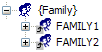 | Family folder | Family folders contain links to other drawers that you have grouped within a drawer family. |
 | Checked out drawer | Indicates that a drawer has been checked out during the drawer-backup process. |
 | Reports folder | Contains FileCabinet CS reports. |
 | User bulletin folder | Contains FileCabinet CS user bulletins. |
 | Template documents folder | You can add template documents, such as checklists and spreadsheets, to this folder and then copy and paste the documents into other drawers, as needed. This folder exists only in the $GLOBAL drawer. |
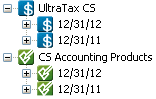 | CS Professional Suite application folders | These folders contain documents from CS Professional Suite applications. Icons for these folders match the associated CS Professional Suite applications. Subfolders indicate the period or year-end information for the client at the time that the document was stored in FileCabinet CS. |
 | Unfiled folder | These folders contain unfiled documents. |
 | User-created folder | These folders can contain any type of document. |
 | User-created subfolder | These folders can contain any type of document. |
 | Hidden documents folder | These folders contain documents that were hidden based on a specified time period. |
 | Data backup folder | These folders contain information about backups that are created automatically when a client is closed in another CS Professional Suite application, or when a client is proforma'd in UltraTax CS. |
 | Archive volume folder | These folders contain archive information and links to archived documents. |
 | NetClient CS folder | NetClient CS folders contain documents that you have selected to be sent to NetStaff CS or NetClient CS. |

