
Obtain the Client Add-In installer files for use in a Group Policy installation
Use the following steps to obtain the GoFileRoom Client Add-in installation files for use with a Group Policy installation or silent install and update process. The installation files include MSI and EXE file types.
- In GoFileRoom, select your name from any screen and choose Client Add-In XX.X.X (where XX.X.X represents the version number) from the dropdown menu.
- In the internet security warning dialog, selectSave Asand select a location to download the GoFileRoomClient.exe file to and selectOK.
- When the download has finished, right-click on the GoFileRoomClient.exe file and select Run as administrator.
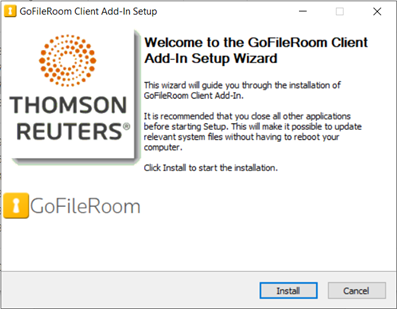
- SelectInstall.
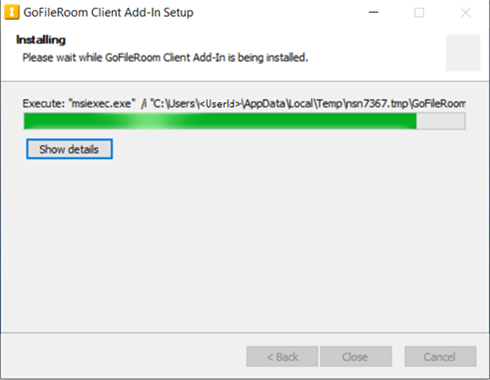
- SelectShow Details.
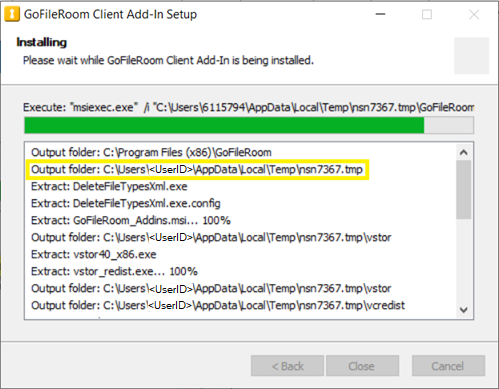
- Note the Temp location the installation files have been extracted to. The path will be similar toC:\Users\<UserID>\AppData\Local\Temp\<filename>.tmp.
- Browse to the Temp location and copy the following files:
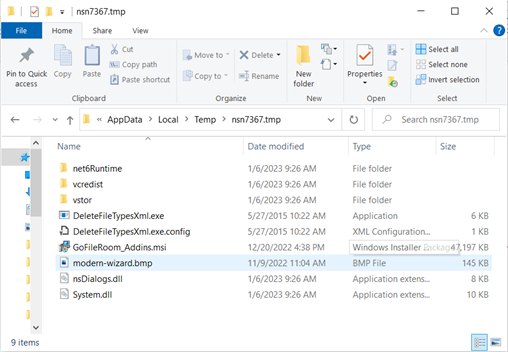
- GoFileRoom_Addins.msi
- net6Runtime\windowsdesktop-runtime-6.0.10-win-x86.exe
- DeleteFileTypesXml.exe(This is needed to enable support for .docm and .xlsm file types.)
- vcredist_x86.exe(This is needed for Acrobat.)
- vcredist\vcredist_x64.exe(This is needed for Acrobat x64.)
- vstor\vstor_redist.exe(This is necessary to enable Outlook integration with the GoFileRoom ControlPanel.)
- vstor40_x86.exe(This is needed for Office 2010.)
- Cancel out of Installation once all the files have been copied and proceed with the steps for Use Group Policy to deploy GoFileRoom Add-in updates.

