
State combined/consolidated return - step 3
Activate inactive states
- On the State Consolidation Steps screen, selectActivate the inactive statelink. The Activate states in all companies in the consolidated group screen is displayednoteAlso found by going toStates, thenState Combined Returns, thenInactive State Activation.
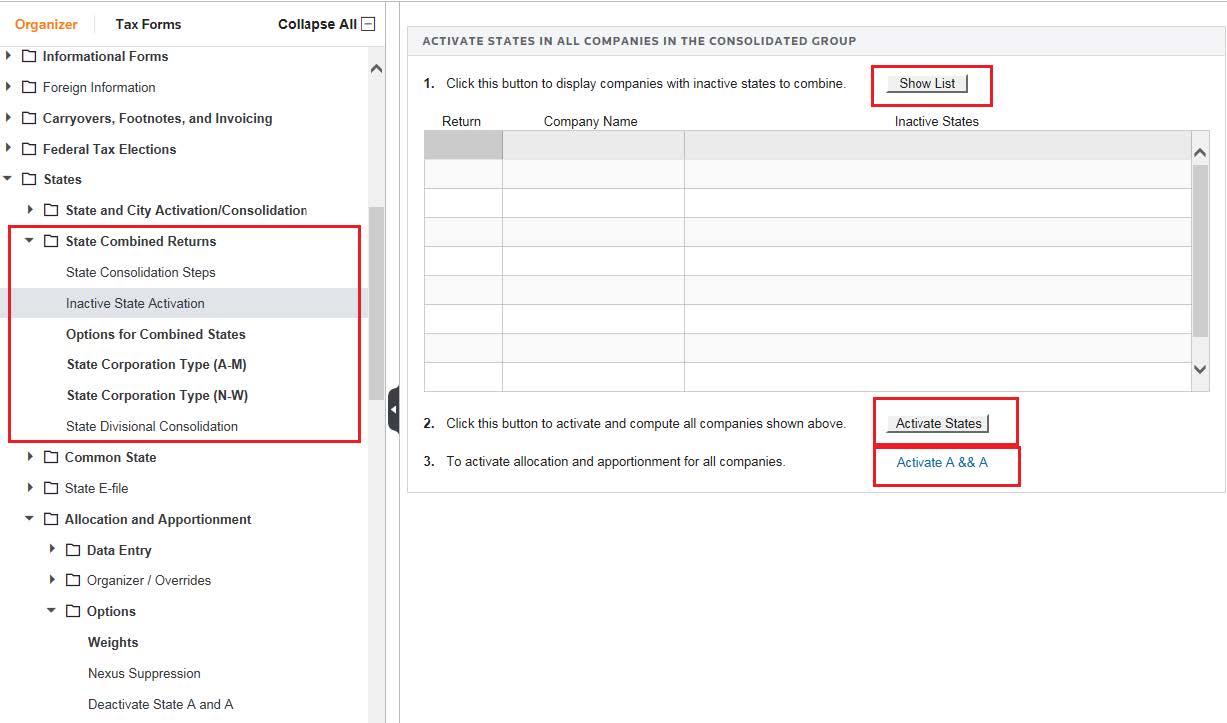
- SelectShow listand then the companies with inactive states to combine are displayed in the grid. SelectActivate States.
- If you are using Allocation and Apportionment, select theActivate A & Abutton to activate A&A for all companies, including parent, elimination, and subsidiary companies. Select the check box to select the states to combine in Step 1.
- Select thePush to activate nowbutton and a dialog box appears to give you one final opportunity to Cancel. SelectOKto continue.

