
Matters List Page
The
Matters List
page is your starting point for finding, reviewing, and managing matters.You will be able to view matters where you are:
- a direct matter participant, or
- a user with financial access.
You won’t be able to view matters where you are only an indirect matter participant.
Using this page
Quick Filters
Quick filters help you narrow the list of matters displayed on the page. You can select any of the following options:
Filter | Description |
|---|---|
All matters | Displays all matters you can access. |
Recently reviewed | Displays the last 20 matters you accessed. |
Open | Displays all open matters you can access. |
Closed | Displays all closed matters you can access. |
My favorites | Displays the matters you have marked as favorites. |
My open | Displays matters you are responsible for. This is not necessarily a complete list of all matters you can access. |
To mark a matter as a favorite, open the matter profile, select the three-dot menu in the upper-right corner, and then select
Add to favorites
.Matters grid
The grid displays all matters that match your selected filters.
You can:
- drag and drop columns to rearrange them,
- customize the layout to match your preferences, and
- expand the drawer to view more details without opening each matter.
These changes apply only to your view and don’t affect other users.
At the bottom of the grid, you can move through additional pages of results. Use
Items per page
to control how many records appear on each page.Drawer details
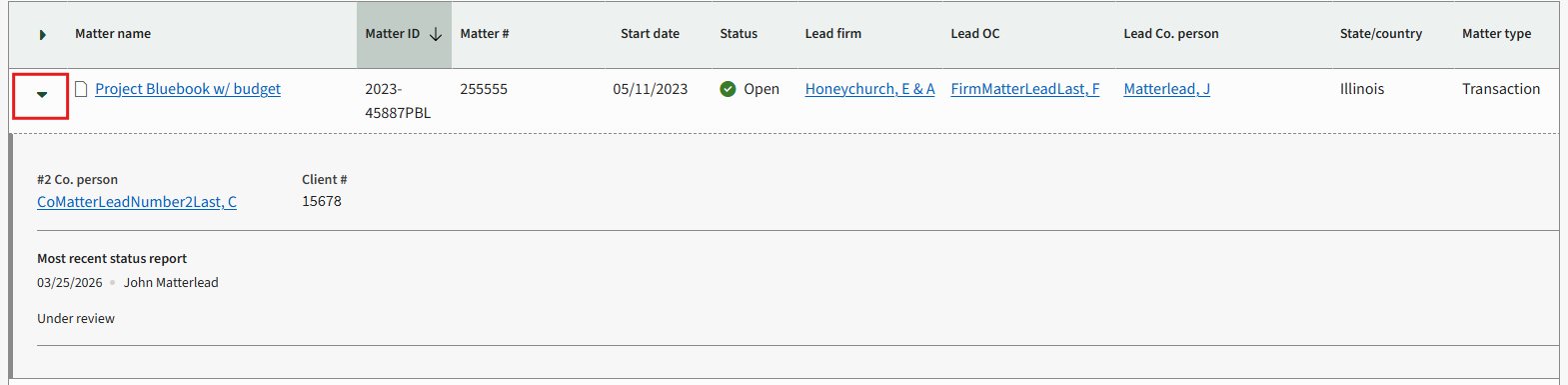
The drawer provides additional information about each matter, including:
- Most recent status report– Shows the latest status entered in theStatustab for the matter. This field is displayed by default and can only be viewed in the drawer.
Search & Filter
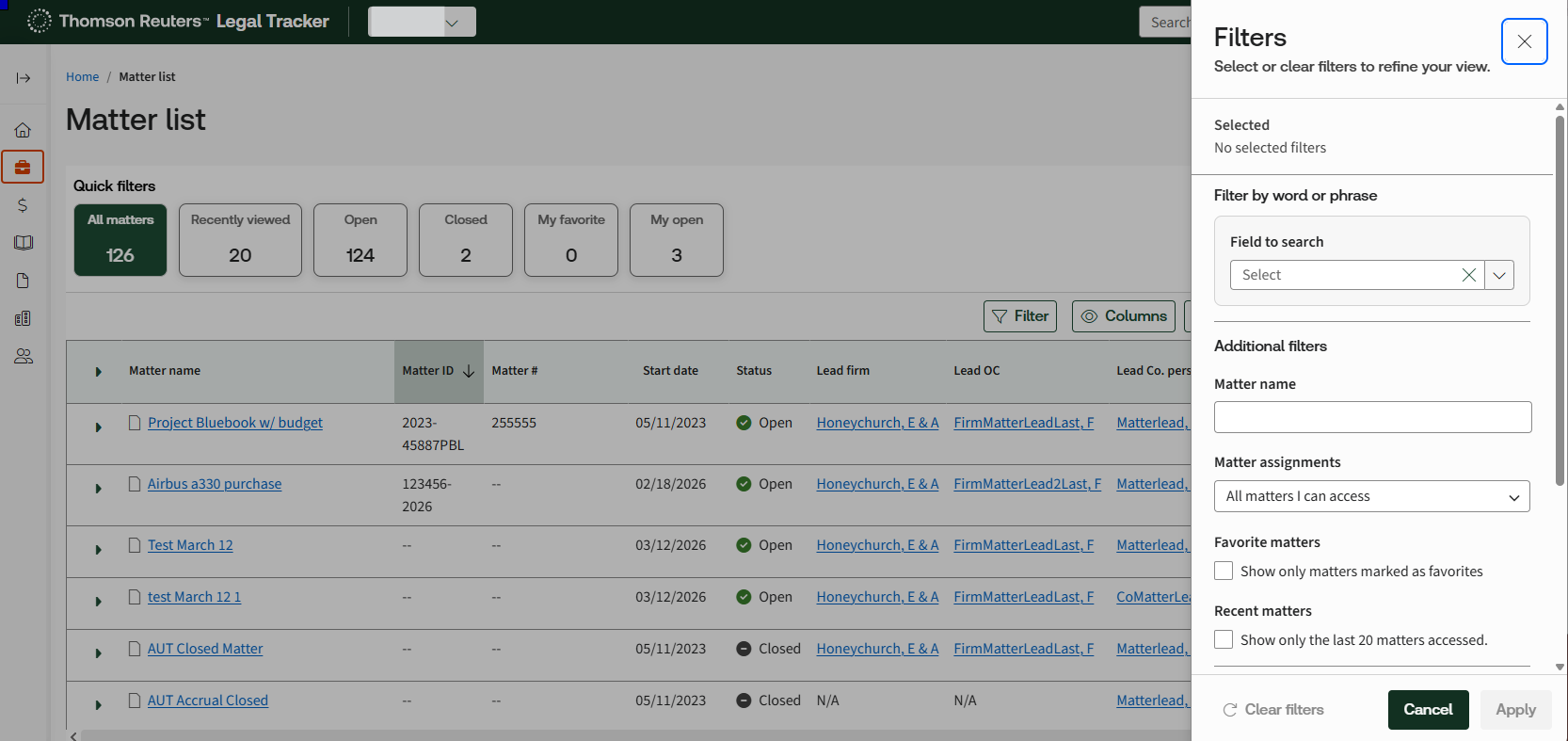
Use
Search & Filter
to refine the results shown in the grid.You can:
- search by fields such as matter name,
- apply additional filters to narrow results, and
- selectApplyto update the grid.
Applied filters appear at the top of the grid, where you can remove them individually.
Columns
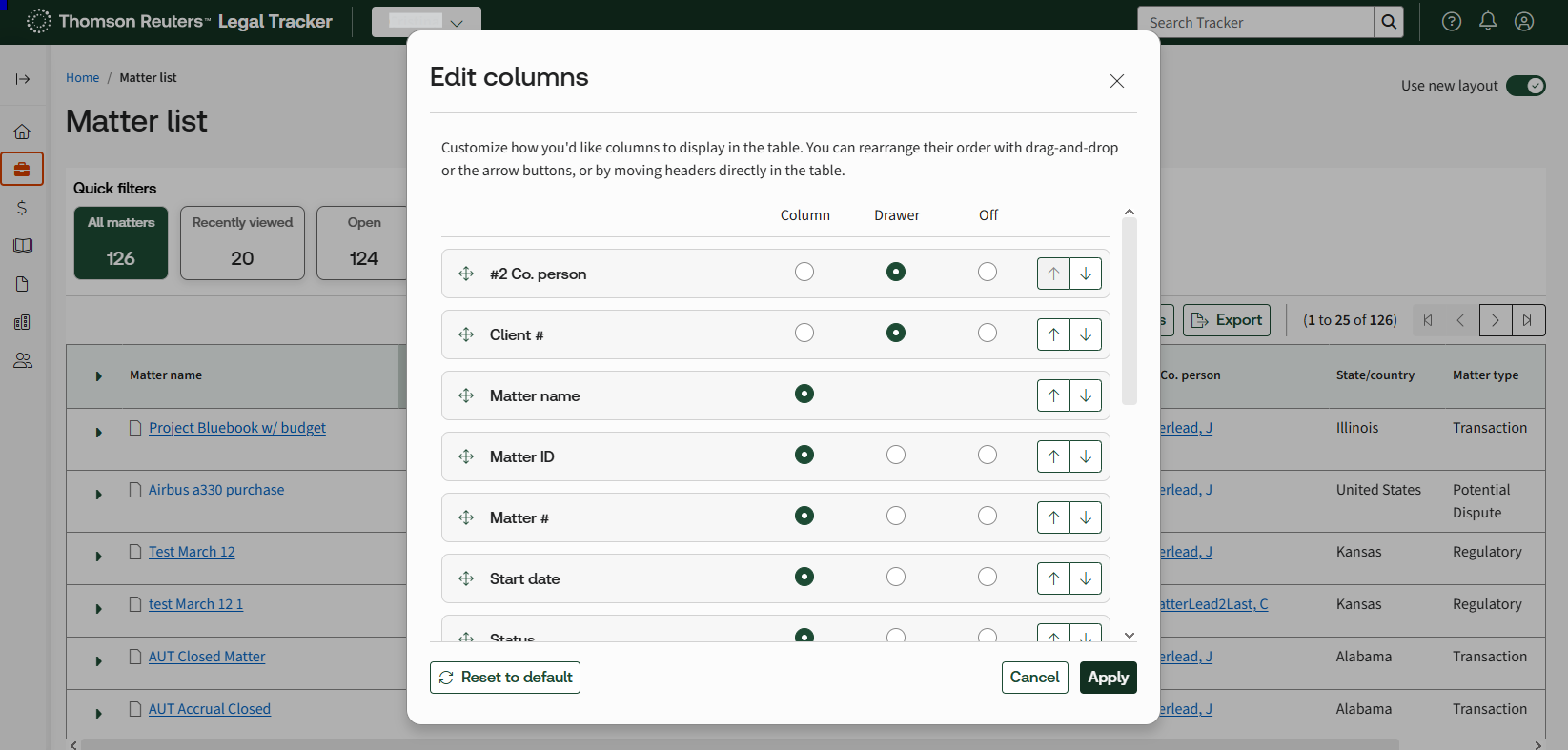
Use
Columns
to choose:- which fields appear as columns in the grid,
- which fields appear in the drawer, and
- which fields are hidden.
You can also use the right and left arrows to change the order in which columns appear in the grid.
Export
Use
Export
to download the grid data as a CSV file.The exported file includes any filters and quick filters currently applied, making it easier to understand the results.