
Combine two or more datasets
Multiple datasets are combined using the Combined Datasets feature. These functionality combine two or more datasets, and associated components. The combined dataset will not reflect which dataset that a component originated.
To combine datasets:
- In Administration >Manage Datasets>Datasets.
- ClickAddto add a dataset.
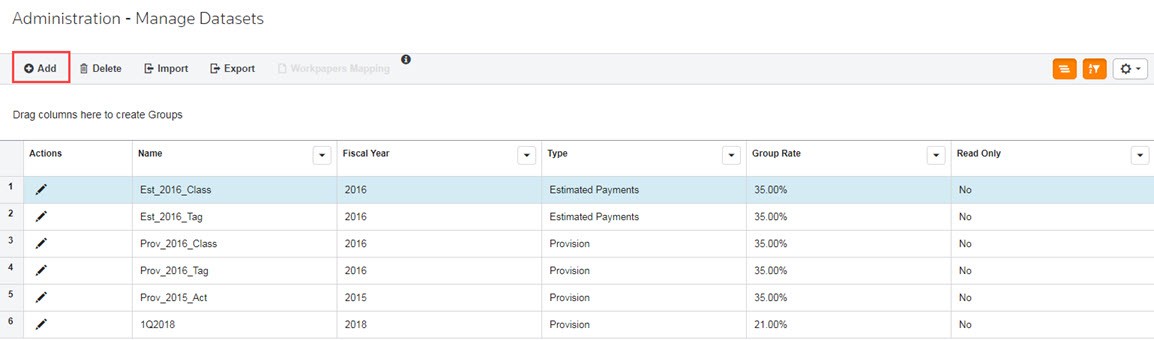 The Add New Dataset wizard appears.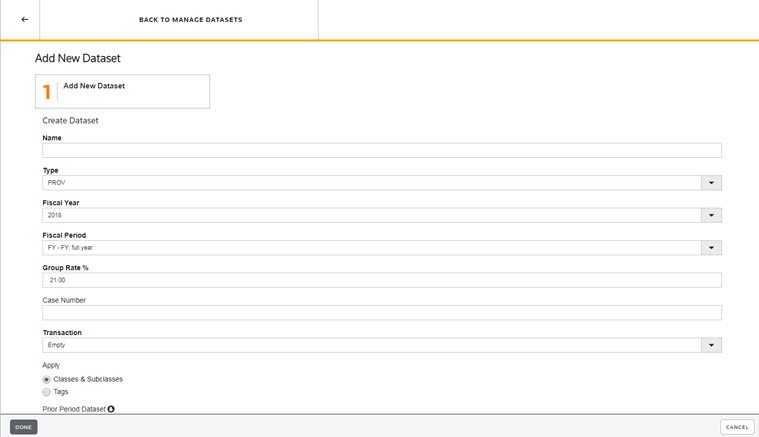
- Type aName.
- The Dataset Name is user-defined and can be any combination of alpha-numeric characters, including spaces, up to 60 characters.
- You can edit the Dataset Name.
- The dataset name appears in My Datasets, Review & Edit and report headers.
- Select the dataset Type:PROV.
- PROV- Provision Dataset: Create Provision datasets to calculate the tax provision.
- Select aFiscal Year. By default, the current year appears in the Fiscal Year field. You can type a year or select a year from the drop-down list.
- Select aFiscal Period. For example, you can select FY - FY: full year. The Fiscal Period defines whether the data in a dataset represents a month, several months, a quarter, or a year. You can type a year or select a year from the drop-down list.
- Type aGroup Rate %. The Effective Tax Rate report uses the group rate as the statutory rate to which the provision reconciles.
- If required by your administrator, type theCase #.
- ChooseCombinefor the dataset Transaction.
- Select a dataset in the Prior Period Dataset drop-down list. The selected value will be the default value for the comparison dataset in the Unit Comparison Report within Reporting.
- SelectYes, if the dataset is a Read Only dataset. Otherwise, the default isNoand information can be entered into the dataset.
- ClickNext. TheCombine Datasetsscreen appears.
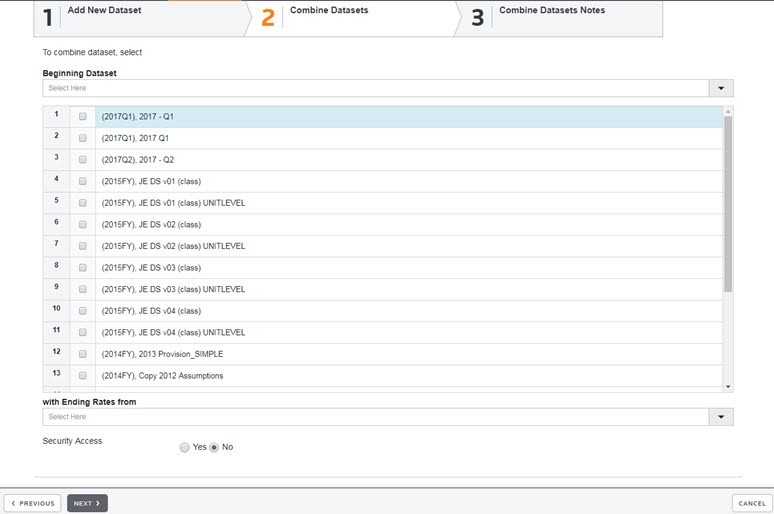
- Select a dataset from theBeginning Datasetdrop-down list.
- Select the datasets that you want to combine from the list of available datasets.
- Select a dataset from the with Ending Rates from drop-down list.
- SelectSecurity Access, if desired.
- ClickNextand a note appears explaining how the combined datasets are calculated.
- ClickDone.
note
If you attempt to create a duplicate dataset, a message appears stating "A dataset or reporting dataset with the name you are updating to already exists. Please specify a unique name."