
Data Entry Introduction
In
Review and Edit
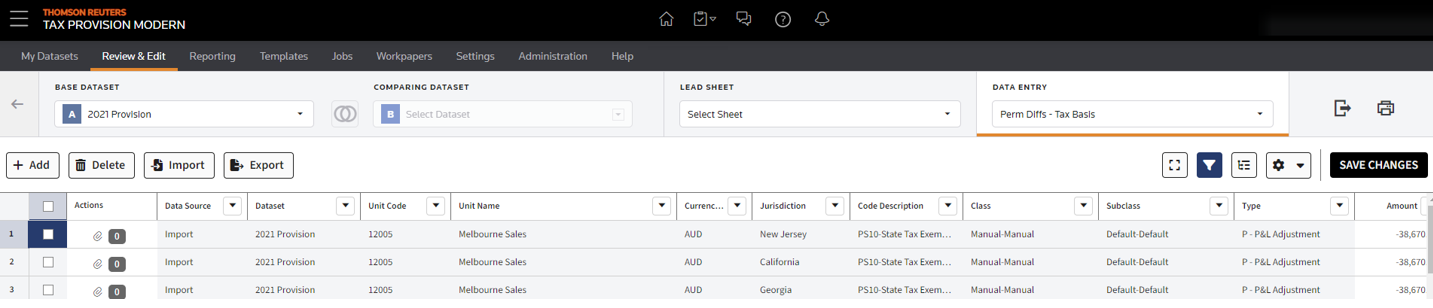
, you will find the data entry functionality for all jurisdictions (Federal, State, Province, All Other, and City).To add or change information to a dataset, you open and modify a data entry page. You select from the BASE DATASET
and Data Entry Components lists. The columns that appear in the grid are the direct result of the data entry page selected. When you make changes, the system saves each entry to the BASE DATASET.note
Users must have the correct permissions to add data entry lines to assigned units.
Review the following topics to learn more about using the DATA ENTRY pages:
- Data Entry Reference
- Modifying Data Entries
- Adding Attachments
- Reviewing Data Source History
- Data Entry Components Reference
- After Apportionment Temporary Differences - Tax Basis
- After Tax Temporary Differences - Tax Basis
- After Tax Temporary Differences - Book-Tax Basis
- NOL Temporary Differences - Tax Basis
- Payable Entry
- Permanent Differences - Tax Basis
- Permanent Differences - Book-Tax Basis
- Pre-Tax Book Income
- Tax Adjustments
- Temporary Differences - Tax Basis
- Temporary Differences - Book-Tax Basis
- Trial Balance - Tax Basis
- Rollforward - Classes