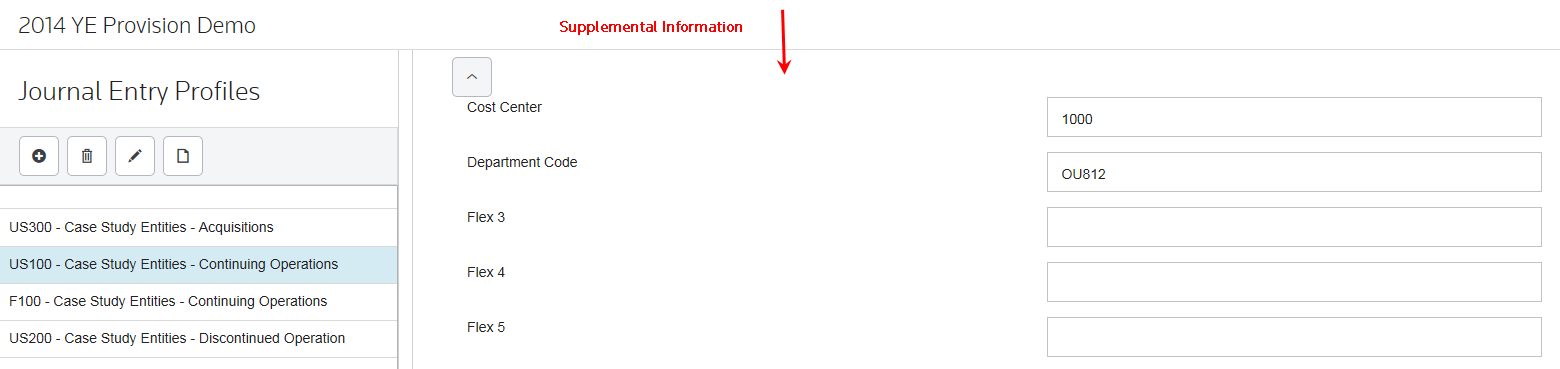
Supplemental Information
Use the supplemental information fields to add information for your journal entry lines. These fields are set up in Administration using the Flex field parameters and are for informational purposes only. Select the  button to show/hide this supplemental information in the Journal Lines page.
button to show/hide this supplemental information in the Journal Lines page.Each Journal Entry line can have up to 9 user-defined Supplemental Information fields that appear in the Journal Entry Report, allowing you to provide data needed for the JE to be entered in the accounting software.
Sample fields | |
|---|---|
Posting GL Account | Budget Code |
Posting Sub Account | Currency Code |
Organization | Account Name |
Cost Center | JE Description |
Department | JE number |
- Supplemental Information is pushed to the output journal entry database table to display on the JE report.
- Supplemental Information only appears in the JE Export detail report.
note
- Although the system does not use Supplemental Information fields for journal entry calculations, you can use them to group like entries together when creating a JE file for the general ledger.
- Use the JE_Supplemental_Label# to create labels for Supplemental Information fields.
Supplemental Information - Example
Field Number | Parameter Key | Sample Parameter Value |
|---|---|---|
1 | JE_Supplemental_Label1 | Cost Center |
2 | JE_Supplemental_Label2 | Department Code |
3 | JE_Supplemental_Label3 | Profit Center |
To access the Supplemental Labels select
Administration
> Manage Configurations
> Advanced Functionality
> Journal Entries
> Journal Entry Supplement Field Name #
.
Supplemental Information - Data Entry Fields