
Maintenance Tasks
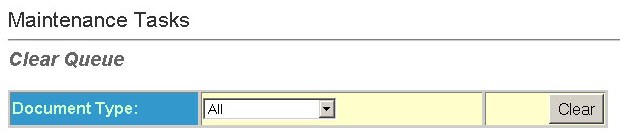
- Select aDocument Typefrom the drop-down list. This field contains a list of the jobs in the queue. The numbers in parenthesis represent tasks in the queue that have not been processed. If cleared, resubmit these jobs.noteIf there are pending notices and "All" or "Notices" is chosen from the drop-down menu, a list will of the pending notices is displayed on the page.
- SelectClearto clear the queue corresponding to the chosen document type. Once the queue is cleared resubmit all pending jobs.
Purged Unused Records
This option removes records in the database that are not associated with a notice or policy. It is a safe and easy way to clean out producers, branches, and policies from the webpt database. To purge a record it must meet the following criteria:
- Branches and Producers: not associated with any notice or policy.
- Policies: not associated with any branch, producer, notice, or additional interest.

- Select theSecurity Groupthat contains the records you want to purge. You can select multiple options.
- Select theRecord Typeto purge from the drop-down list. This can include policy, branch, or producer.
- Select theActive Status. This option specifies whether all unused records are purged. Either active records only, or inactive records only.
- Select theCreated Date From/To: - Date Range of when records were created.
Override Rulebase Warning
Select this option to acknowledge the rulebase warning and override it so it does not appear to the users. The following options are available:
- Last Override Date - This is the date when the override occurred. When the rulebase warning is overridden the date is recorded here.
- Override Warning - Check this box anc click the Override button to override the rulebase warning. A box will appear asking for a password. If a password is configured enter it here. If no password is configured then just click OK and the warning will go away.
note
To set the password you must directly insert the password into the database. Please contact ODEN technical Support at OdenSupport@thomsonreuters.com or at 1-800-327-8829, Option 6, Option 3 (Oden Customer Support) to get instruction to do this.