
Pop-Up Questions when Creating a Notice
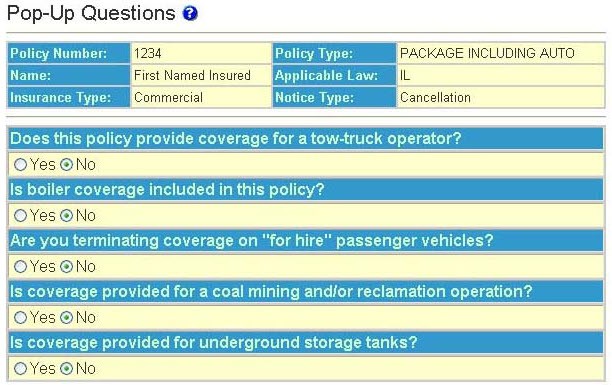
The pop-up question page appears when additional information is required to generate a compliant notice. Some pop-up’s are in the form of a Yes/No question; others prompt you to supply additional information to complete wording on the notice.
note
Some pop-up’s are dependent on responses to other pop-up’s. If this is the case a second and possibly a third page of pop-up questions will appear.
note
The
ODEN SR&R Library
menu option is a link to the ODEN library of rules and regulations summarized by topic for 50 states, DC, Virgin Islands, Puerto Rico and the Federal Government.Pop-up Types
Yes/No - Select the applicable radio button in response to the question.
note
It is imperative to answer the questions according to policy information. Answering "No" to a pop-up question (if the answer is yes) may result in the creation of a non-compliant notice.
Date - Enter the applicable date including formatting (slashes – 01/01/01).
Currency - Enter the applicable amount. There is no need to include the dollar sign ($).
Text - Enter the applicable text. In most instances the amount of text is unlimited; however, in a few situations it is limited due to space constraints on the notice.