
Getting Started
The first step in using Oden Policy Terminator is logging on. Open your web browser and enter the web address provided by your support representative or system administrator. The
Login
page appears.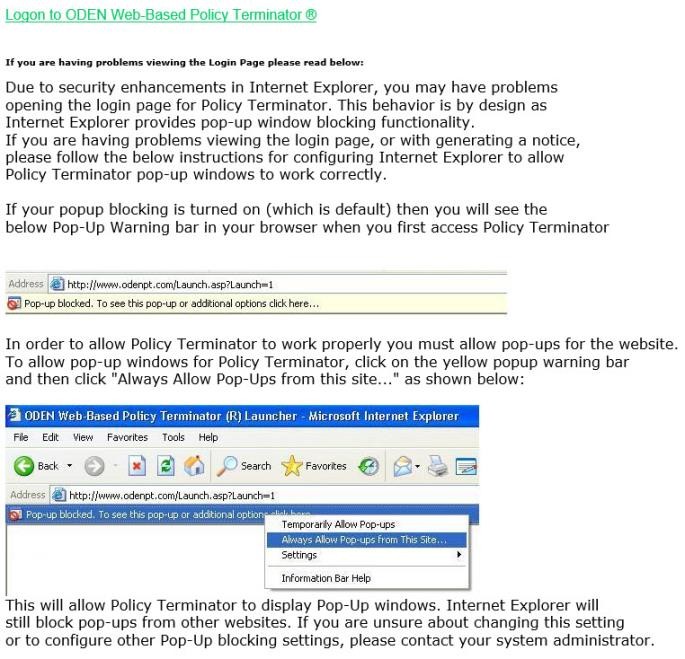
Follow the steps on the screen to make sure your browser is set up to allow pop-up windows.
Select the link
Logon to Oden Web-based Policy Terminator
. 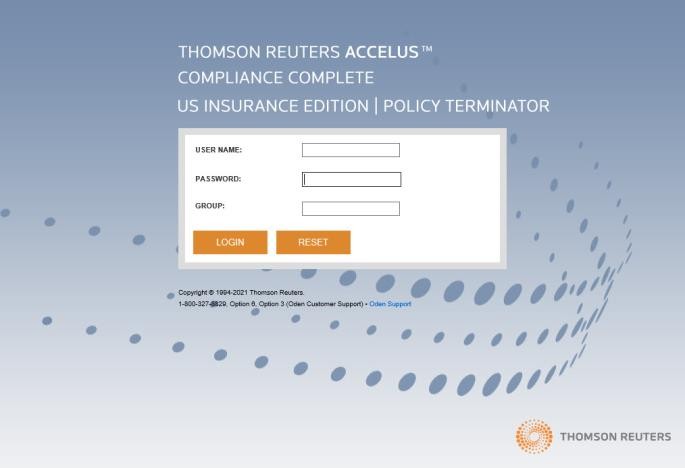
Enter your
Username
, Password
, and Group
to log on to Oden Policy Terminator.The Oden Policy Terminator home page appears.
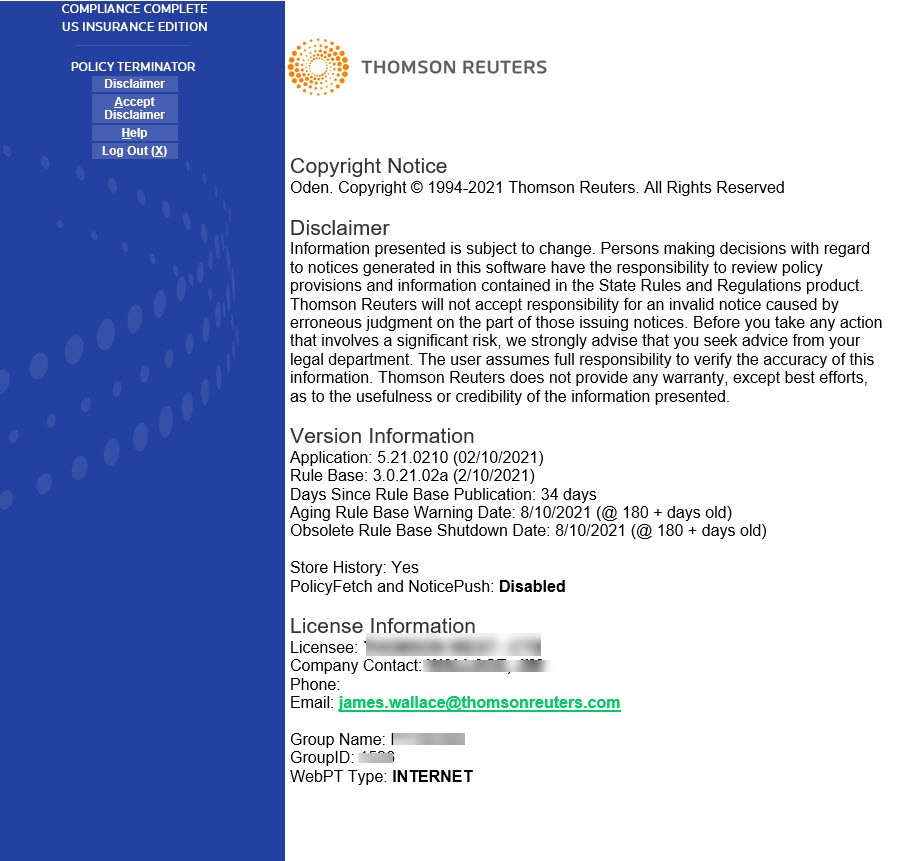
On the side menu, select
Accept Disclaimer
. In addition to Copyright, Version, and License information regarding Web based Policy Terminator, your acceptance of this Disclaimer is your agreement to accept the terms and conditions of the software. From the
Oden Policy Terminator Main Menu
page, you can:- View Release Notes
- View Web-based Tutorials
- Create policy information
- Perform Batch Processing
- Print Reports
- Open the Oden SR&R Library
- Open Help
Select
Main Menu
on the side screen to return to the Main Menu
screen.