
Policy Menu Buttons
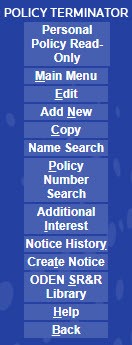
The menu section of the
Policy Information
page viewed in Read Only
mode displays the following menu options:Menu Item | Description |
|---|---|
Main Menu | Select to return to the Main Menu |
Edit | Edit an entry |
Add New | Add a new policy |
Copy | Copies an entry |
Name Search | Search for a policy by the named insured. |
Policy Number Search | Search for a policy by the policy number. |
Delete | Delete an entry. It is displayed only if a notice has not been generated. |
Additional Interests | View additional interests that have been added to a policy. |
Notice History | View previous notices that are stored in notice history. |
Create Notice | Create a notice for a current policy. |
Help | Opens the Help. |
Back | Returns you to the previous menu. |