
Reports - Menu Options
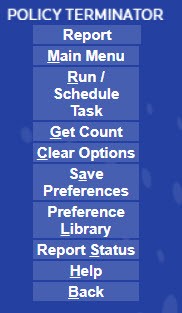
The menu options to create a report are described below:
Menu Item | Description |
|---|---|
Main Menu | Select to return to the Main Menu |
Run/Schedule Task | Starts the report generation process |
Get Count | Returns a count of the number of records which meet the filter criteria. This option is not available for any of the summary notice counts reports templates. |
Clear Options | Clears all the fields on the page and resets it to the defaults. |
Save Preferences | Saves the current configuration options for use at a later time. Saving configuration options means you can print the report as many times as needed without having to specify the options each time. |
Preference Library | Allows you to retrieve a saved preference file or delete an existing one. Selecting the check mark icon next to the desired report loads the configurations into the Reports screen. Selecting Delete removes the preference file. |
Report Status | This option takes you to the report status page where you can see the status for both processed or scheduled reports. |
Help | Opens the online help topics for Reports. |
Back | Takes you back to the previous page. |
Select
Run/Schedule
to generate a report.