
Adding a Producer
Add producers to create a pick list of company producers. Producer information is required in order to create a notice.
- On the Main Menu, selectUtilities > Data Setup > General Policy Setup.
- On the side menu, selectProducers.
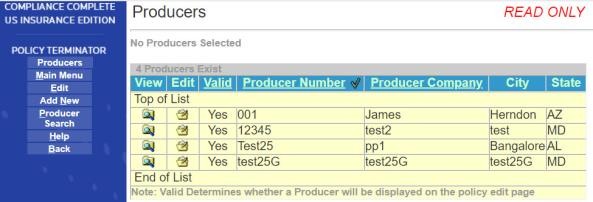
- On the side menu selectAdd New.

- Enter aProducer Number. A character string code that identifies a particular producer or agent. This description allows you to select a producer from a pick list.
- EnterProducer Name Line 1. The first line of the Producers name (This is generally the agency name).
- EnterProducer Name Line 2. The second line of the Producer name, if applicable.
- EnterAddress Line 1for the Producer address.
- EnterAddress Line 2for the Producer address, if applicable
- Enter theCityfor the Producer address.
- Select theStatefrom the drop-down list for the Producer address.
- Enter theZip Codefor the Producer address.
- Select theAddress Type- domestic or international.
- Valid– Indicates Yes or No. This will change to Yes once you save the information and Policy Terminator determines that all the required information is included.
- On the side menu selectSave/Return.