
Adding a User
- On the Main Menu, selectUtilities > Security > Users.
- On the side menu, selectAdd New.
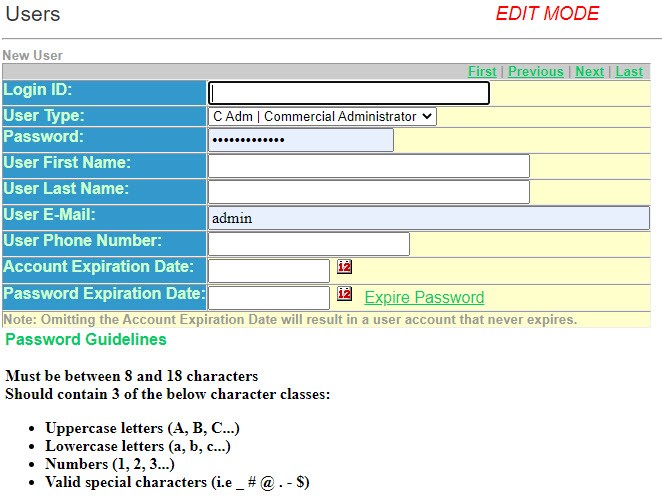
- Enter a uniqueLogin IDfor this user.
- Select theUser Typefrom the drop-down list.
- Enter a uniquePasswordfor this user according to the Password criteria.
- Enter theUser First Name.
- Enter theUser Last Name.
- Enter theUser E-Mail.
- Enter theUser Phone Number.
- Enter theAccount Expiration Date. If you leave this blank the account will never expire.
- Enter thePassword Expiration Date. If you leave this blank the password will never expire.
- On the side menu, selectSave/Return.