
Creating a Free Form Title and Wording
You can create Free Form Notices to suit your specific purposes. They are created in two steps:
From the
Main Menu > Utilities
Step 1 – Create a Free Form Title
Step 2 – Create Custom Reason Wording to go with the Free Form Title
Creating a Free Form Title
Add freeform titles to create a pick list of titles to appear on freeform notices.
- SelectData Setup > General Notice Setup.
- SelectFree Form Titles.

- SelectAdd New.
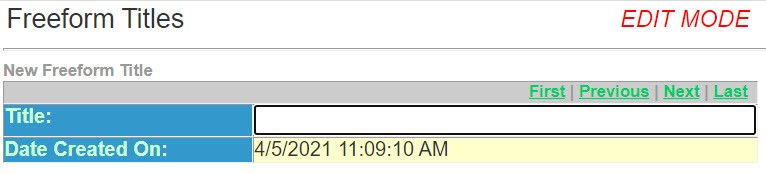
- Enter theTitlethat you wish to print across the top of the notice.
- Save and Return.
- On the side menu, selectBackto return to theGeneral Notice Setup.
- On the side menu, selectBackto return toData Setup.
Creating a Custom Reason Wording
- SelectPersonal or Commercial Lines.
- SelectCustom Reasons.
- SelectAdd New.
- When you select theFree Form Titleand the correspondingCustom Reasonthen you can produce a Free Form Notice.