
Group Options - Mailing Defaults
Use this section of Group Options to determine mailing defaults for the group.
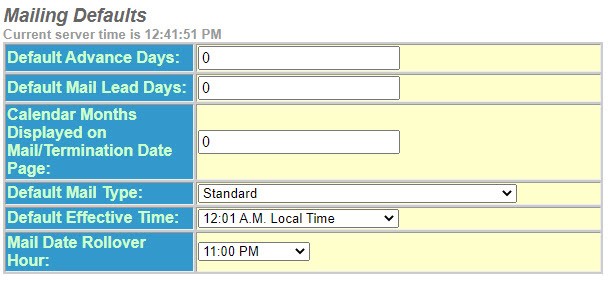
- Enter a number for theDefault Advance Days. The number of days that will default on all notices not pre-filled by ODEN. (To set days notice by policy type, action and reason, see Custom Advance Days Notice).
- Enter a number for theDefault Mail Lead Days. The number of days added to the days notice to allow for mail time. This applies when the mail lead days are not pre-filled by ODEN.
- Enter a number for theCalendar Months Displayed on Mail/Termination Page. The number of months graphically displayed for user convenience.
- Select theDefault Mail Typefrom the drop-down list. The company standard for the type of mailing – applies when mail type is not pre-filled by ODEN.
- Select theDefault Effective Timefrom the drop-down list. Set this per your policy provisions.
- Select theMail Rollover Hourfrom the drop-down list. The time of day the mail date will “rollover” to show the next available mail date.
- Continue to theNotice Defaultssection.