
Import Status
From the
Data Transfer
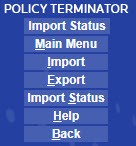
menu, select Import > Import Status
. 
The
Import Status
page gives you the details about an imported file.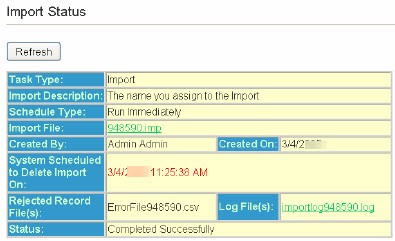
Field | Description |
|---|---|
Task Type | Import, Export, Batch Print |
Import Description | Import file name |
Schedule Type | Run Immediately or for Intranet Client, whenever you have selected it to run. |
Import File | A system generated number assigned to the import. |
Created By | The name of the person who created the file. |
Created On | The date the file was created. |
System Scheduled to Delete Import On | When the file will no longer be available |
Rejected Error(s) File | A log of any rejected or errors. Click the Log File hyperlink to see the information. |
Status | The current status of the requested import. |
Policy Terminator will build a file in a pdf format containing the selected import. If the File(s) field doesn’t turn green and allow you to open the import file, click the
Status
button on the side menu or the Refresh
at the top of the page.