
Notice Export
On the
Select Table
page use the Today
functionality when exporting notice information.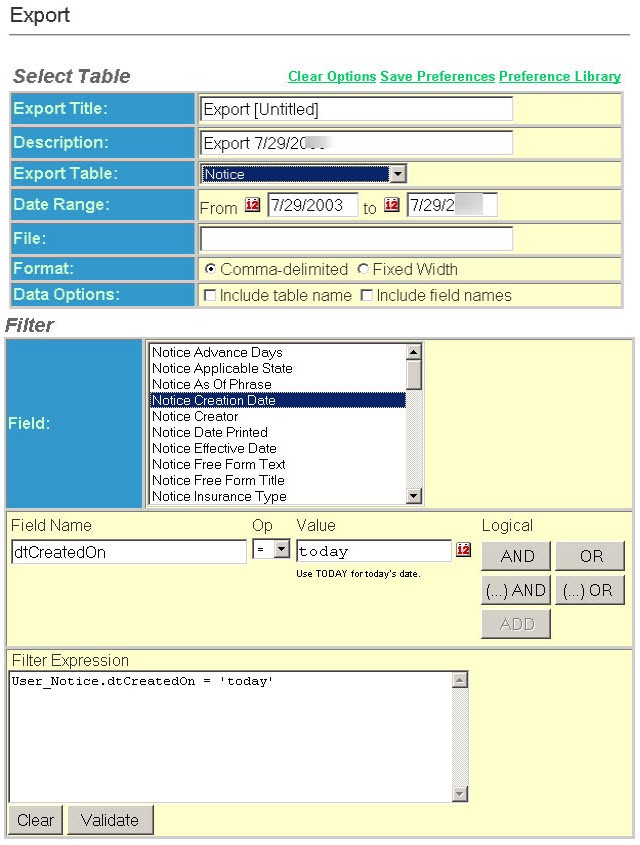
Date Range - From and To Dates - These fields display the limiting date range for the export and are only applicable to a User Notice. To limit the export of notices by generation date enter a beginning and ending date.
In order to do a notice export for notices that were created today, you can do it one of two ways:
Option 1: Either fill in the date range field with actual dates, or:
Option 2: Create a preference, setting a large date range (Example: 01/01/2020 to 01/01/2021).
In the
Filter
section, select the Date Created On
option and in the Value
field, set the value to the today
keyword.Make sure you save the preference for future reference.