
Export calendar due dates to outlook
Add ONESOURCE Calendar due dates as events in your Outlook calendar.
- Filter yourDue Datesview to select the items you want to add to Outlook.
- SelectExport, thenExport to Outlook.
- Select the Outlook account where you want to add the dates when prompted.
Outlook adds a new calendar named ONESOURCE Calendar.
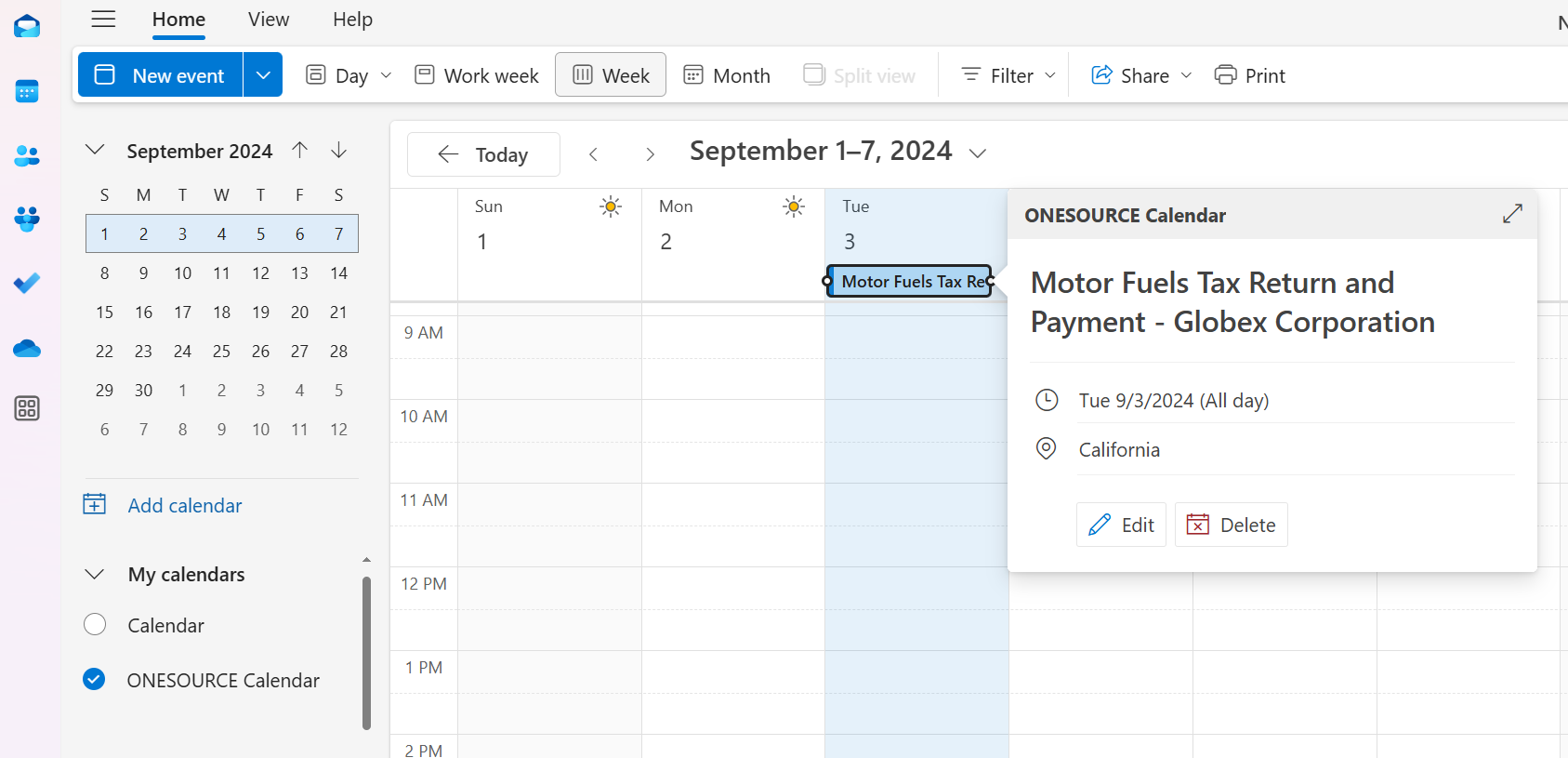
Each due date appears as an individual event with the following details:
- Title: Obligation Name – Entity Name
- Location: Jurisdiction
- Reminder: Set 1 day before the event
Troubleshooting tips
ONESOURCE Calendar due dates may take a few moments to appear in Outlook after export. If due dates aren't immediately visible:
- Close and reopen Outlook to refresh the calendars in your view.
- Delete an existing calendar if you're replacing a previously created calendar.