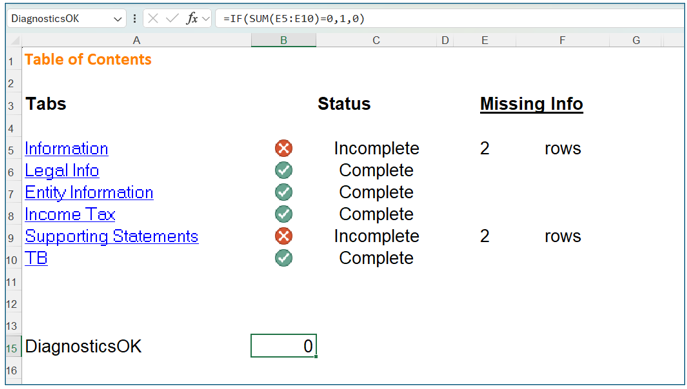
DiagnosticsOK in DataFlow
DiagnosticsOK
works with Excel
functions that return a value of either 0
or 1
, or FALSE
or TRUE
. A value of 0
or FALSE
means diagnostics haven't been cleared. A value of 1
or TRUE
means diagnostics have been cleared.This feature functions only within the
Data Provider
tile. If diagnostics aren't cleared, the Data Provider user can't update the Request status to Complete, and an error window will be displayed.To use
DiagnosticsOK
, ensure that the DataFlow Template
used to create a Request includes a cell named DiagnosticsOK
. This cell should contain a formula that returns a value of either 0
or 1
, or FALSE
or TRUE
.