
Field Controls and Data Validation
There are a variety of configuration options on the Edit Classification screen that you can activate to control the way data is entered into ONESOURCE Global Classification.
Using Required Fields
During implementation, the client company determines which fields on the Edit Classification screen are required and cannot be omitted. These fields are identified by a red asterisk (*).
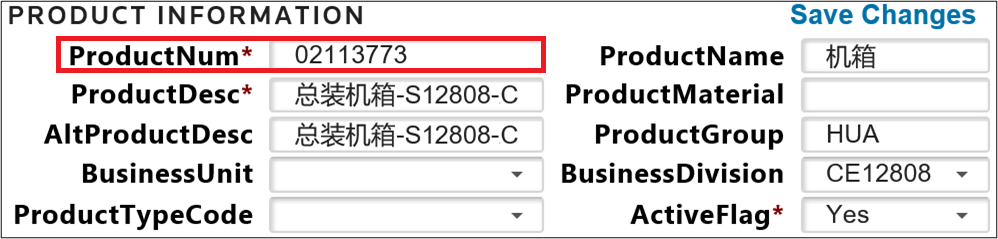
If you attempt to create a new product record and omit one or more required fields, the new or modified record cannot be saved. You will then be prompted to enter the missing data before the record can be saved.

Related Content
-
Edit Classification
Format: Article