
Charge (Tariff Notes)
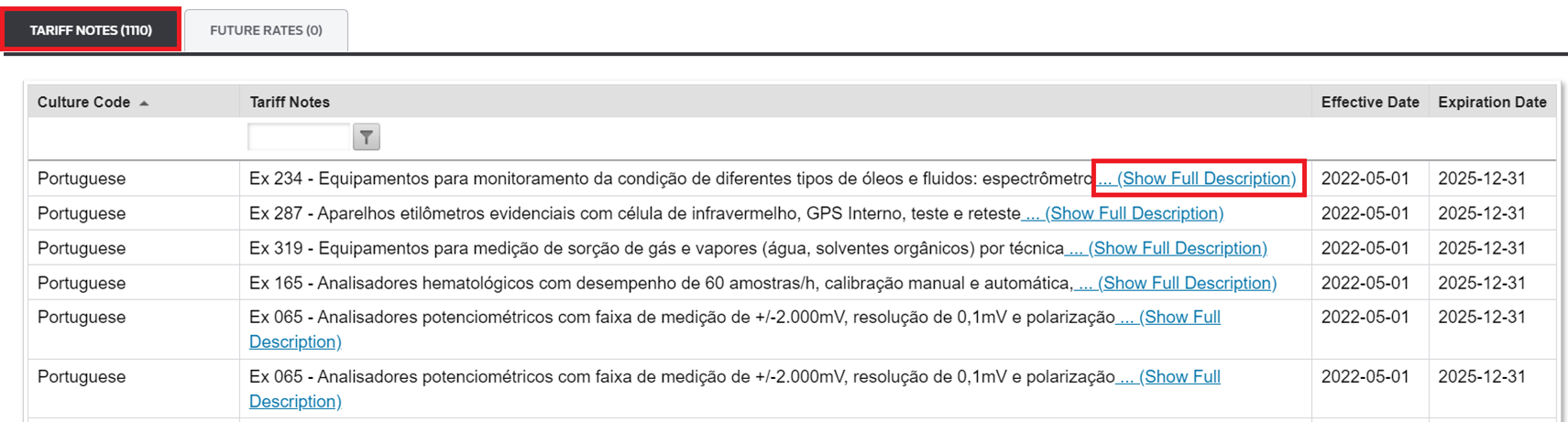
The
Tariff Notes
tab shows any notes associated with the specific rate and HS Number. These notes are displayed in the originally published language. If the Tariff Notes description exceeds 100 characters, you can expand and hide the text by clicking …(Show Full Description
)/(Hide
).
Sorting a Column
You can sort the columns by clicking the column header. You can sort one column header at once.
- To sort data in ascending order, click once.
- To sort data in descending order, click twice.
- To return the column to its original order, click a third time.
Filtering
The Tariff Notes column can be filtered by searching for specific words that you would like to view within a note.
- In the Tariff Notes bar field, enter the text you want to filter.
- Click the filter icon next to the bar field.

- Select a filter option.

- The page automatically refreshes, and the result is displayed.

If you want to remove the filter you have applied, click
NoFilter
in the filter option.Related Content
-
Global Trade Content (GTC)
Format: Article