
Viewing Information by Tariff Schedule
To open a tariff schedule:
- Choose a tariff schedule from the Country/Tariff Schedule drop-down. This drop-down has type-ahead capabilities and can be searched by country code or country name.
- From here, you can search for import or export tariff schedules like US HTS or US Schedule B.
There are two options for the Country/Tariff Schedule selection box:
Tariff schedule selection box | Description |
|---|---|
Country Name | ISO name of a specific country (e.g. AU for Australia) |
Tariff Schedule | Name of a tariff schedule within the system (i.e. EU Intrastat) |

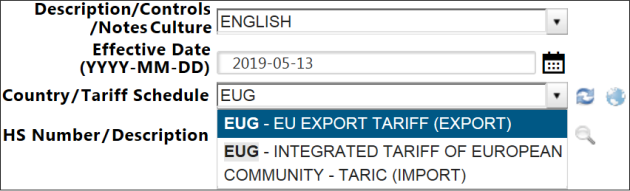
After a tariff schedule is selected from the
Country/Tariff Schedule
drop-down, the screen will display the tariff schedule chapters.
Related Content
-
Global Trade Content (GTC)
Format: Article