
General features in ONESOURCE™ Multi-Levels Approvals (MLA) management
In ONESOURCE™ MLA, you can filter the results according to your preferences. Use the buttons on the screen to adjust how the results are displayed.
Button | Action |
|---|---|
Actions  | It offers you a variety of possibilities pertaining to the content of the screen. |
Approval area 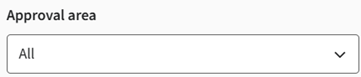 | This feature allows you to filter and view approvals based on specific categories. By selecting an approval area, you can focus on tasks related to a particular stage of the process, such as export control, shipment verification, or customer validation. In addition to the approval areas listed below, three additional custom approval areas can be configured. For more information, contact Professional Services. Available approval areas:
important
This is the default setting.
|
Filter  | Allows you to filter results based on the value of your choice. The possible filter options are:
important
In certain cases, filtering can be based solely on a value. Ensure each value is written on a separate line. |
Expand screen  | Hides adjacent panel, providing a full view of the table. |
Go to page:  | Go to a specific page based on a number. |
Group  | Go to a specific page based on a number. |
Items per page  | Adjust the number of items displayed per page using this dropdown menu. |
Manage columns  | Allows you to add, remove, or reorder columns to suit your preferences. |
Previous/Next | Go to the previous or next result pages using these buttons. |
Search  | Enter a number or a short text to find specific results. |
Related Content
-
Multi-Level Approvals (MLA)
Format: Article