
System Alerts and Messages
Alerts
 provide critical, system-generated information that could affect the import or export of goods. Clients cannot configure them. They are sent directly by Thomson Reuters and are automatically delivered to users based on operational needs. For example, if a government agency experiences technical difficulties and ONESOURCE Global Trade cannot connect to transmit electronic filings, an alert explaining the situation will appear.
 You can choose whether or not to receive these alerts through the option available in user
menu > My settings > User customization > Show alerts
checkbox. This setting is individual.
Messages
 notify users of completed transactional processes, such as Denied Party Screening or Mass BOM Analysis, and serve as a communication tool for ONESOURCE Global Trade team updates, including release notifications.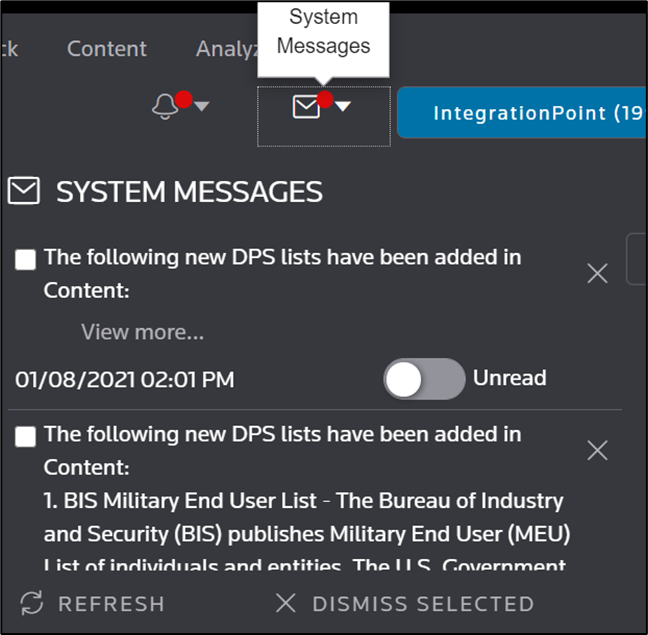
To manage notifications, select either the or  to view their respective lists.
Alerts
or Messages
to view their respective lists.Within each list, you can:
- View details:ForAlerts, select(view more)in a headline to see additional information.
- Dismiss items:Check the boxes next to items and selectDismiss Selectedto remove multiple items. You can also dismiss individual items by selectingClose
 .
. - Mark as read:Toggle theUnreadswitch to mark an item asRead(the switch will turn green). The item will then appear asReadwhen you reopen the pop-up.
- Refresh the list:SelectRefreshto update the displayed list.
You can enable or disable
System messages
through user menu > My settings > User customization > Show messages
checkbox. It's highly recommended to keep System messages
enabled, as they deliver important communications that can benefit you. For more information, refer to the User settings
article.Related Content
-
User Access and Setup
Format: Article