
Reset password retries
If you enter the wrong password too many times, you will be locked out of the ONESOURCE Global Trade system. Each incorrect attempt increases the count in the
Current Password Retries
column.To reset the password, retry count, you need to ask an
Admin
user.If you are an admin user looking to reset a password:
- Select theuser menu.
- Selectuser settingsto open theEdit Userscreen.
- Use the search box to locate the user you want to edit.
- SelectReset password retries
 button. The person can now log in using their existing password.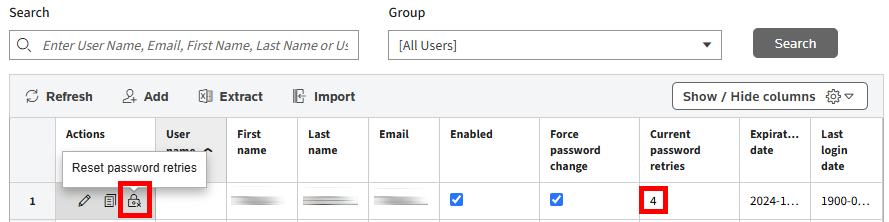
Related Content
-
User Access and Setup
Format: Article