
Submit a support ticket
This option allows you to start an email to the ONESOURCE Global Trade Support team, capturing key information such as the partner and the screen you were working on.The
Submit a support ticket
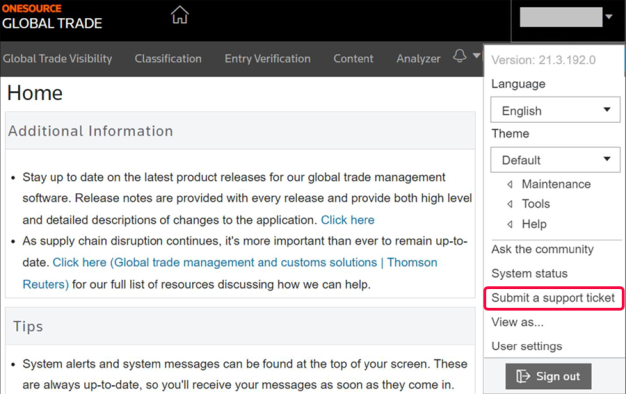
button is within the user menu
.- Ensure that theShow email support linkbox is checked in yourUser settings. You can find more details on this step in theUser customizationsection of this user guide.

- Open theuser menu.
- SelectSubmit a support ticket.
- SelectingEmail Supportwill open theContact Thomson Reuters Supportpop-up.Briefly describe your question or problem in the provided field. Attach any supporting files if necessary.

- SelectSend Emailto submit your support request to the ONESOURCE Global Trade Support team.
Related Content
-
User Access and Setup
Format: Article