
View as...
important
You can only use
View as…
if you are an admin level user. The
View as...
functionality allows you to see how different ONESOURCE Global Trade screens appear for various permission groups and users. This feature is particularly useful in the following scenarios:- When a supplier encounters an error message and contacts you, switch to the "supplier" group to quickly determine the cause of the error.
- During user setup, use it as a validation step to confirm that individuals have access to the necessary screens and features while restricting access to those outside their permission group.
To use
View as...:
Open the
user menu
.- SelectView as...to open a taskbar.
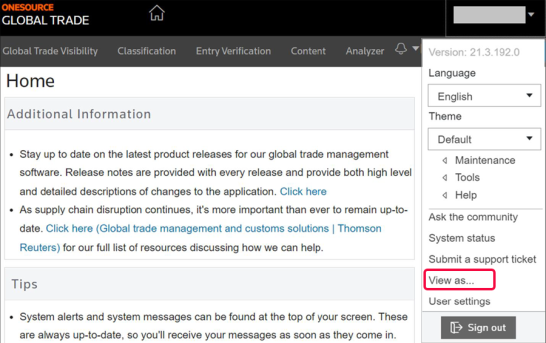
- In theSelect group(s) to view asbox, the system preselects a person's default permission group.

This functionality helps ensure proper access management and troubleshooting within the ONESOURCE Global Trade platform.
Related Content
-
User Access and Setup
Format: Article