
Finalize Audit
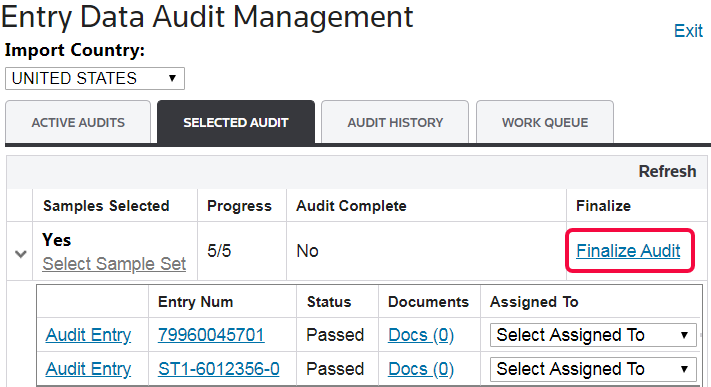
Once an audit is ready to be finalized, return to the
Entry Data Audit Management
main screen and click Finalize Audit
.
Clicking
Finalize Audit
will open the Finalize Audit
pop-up window. Enter any audit results, identified discrepancies, and/or corrections and resolutions that were implemented as a result of the audit. Click Finalize
to finalize the audit or Cancel
to close the pop-up window and make further changes. 
When
Finalize
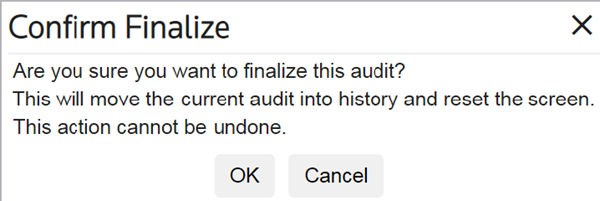
is clicked, the Confirm Finalize
pop-up window will appear, requesting confirmation that the user wants to finalize the audit for the listed country. Click OK to proceed
. 
Related Content
-
Entry Data Audit Management (Entry Random Auditing)
Format: Article