
Reopening a Completed Entry for Additional Corrections
In some instances, an entry with a
Correction Complete
status may require additional changes. Should this occur, the user will need to manually change the entry status.Changing Entry Status via Entry Management
To change an entry status, open the
Entry Summary
screen from the Entry Verification
menu. Once in the Entry Summary
screen, look in the Entry Management
tab for the entry that requires updating. 
Once the entry is identified, click on the entry’s
Status
drop-down and select the equivalent of Correction Required
from the list. Since entry statuses are configurable, language may vary from the example screenshot listed below. 
Changing Entry Status via Entry Data
To change an entry status, open the
Entry Summary
screen from the Entry Verification
menu. Once in the Entry Summary
screen, look in the Entry Management
tab for the entry that requires updating. Once an Entry Number has been chosen, click on the Entry Number link. 
Clicking on the Entry Number will open the
Entry Data
tab. Once in the Entry Data
tab, click Open for Correction
. This will reopen the entry. 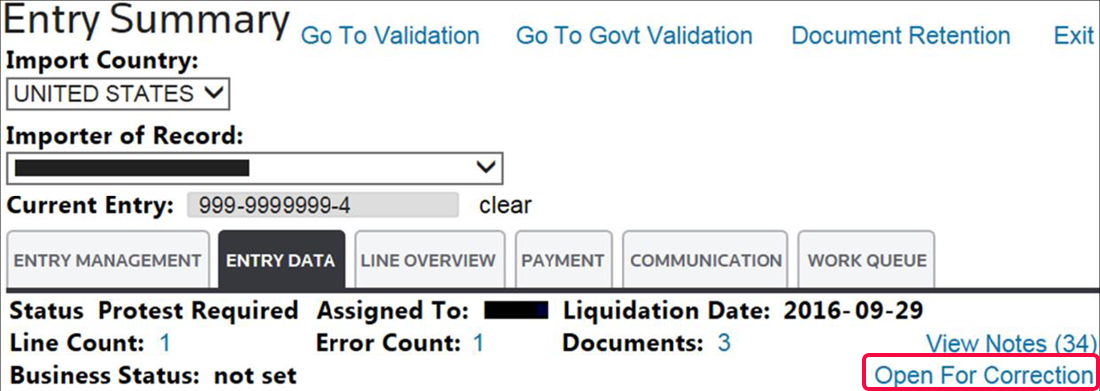
Related Content
-
Declaration Correction
Format: Article