
FTA: Averaging Categories Report - Certify BOM(s)
To certify a BOM:
- Follow the steps listed in theGenerating an Averaging Reportsection above.
- After the averaging report has been generated, review the list of BOMs that generated in the report.
- Select one or more BOMs by checking their corresponding boxes.
- After the desired BOMs are selected, click on theCertify BOM(s)button.

It will open the
FTA BOM Rule Analysis
screen with the BOM’s information prepopulated in the tabs. You can either:- Update an individual BOM by clicking the BOM’s correspondingEditbutton and making any necessary changes or;
- Update multiple BOMs by entering data into theMultiple BOM Updateform and clicking “Update”.
After all desired changes are complete, click the
Save
button at the top of the form.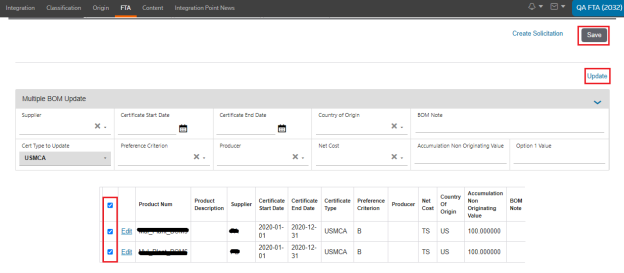
Clicking
Save
will return you to the Averaging Reports
screen. If the BOM certificate was successfully created, the following validation message will appear on the screen: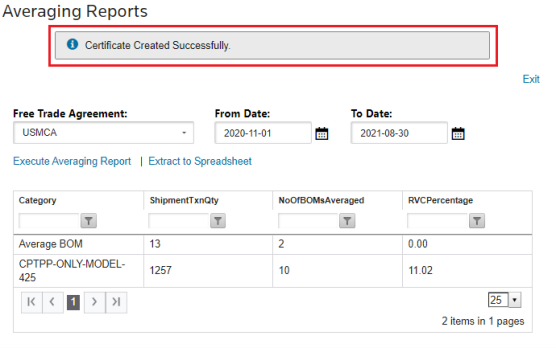
Related Content
-
FTA: Averaging Categories Report
Format: Article