
FTA: BOM Analysis - Launch Mass BOM Analysis
The Mass BOM Analysis functionality is used for simultaneously determining the eligibility of all uncertified BOMs. Eligibility is based upon the regional value content (RVC) and tariff shift criteria for all major global agreements. The
Launch Mass BOM
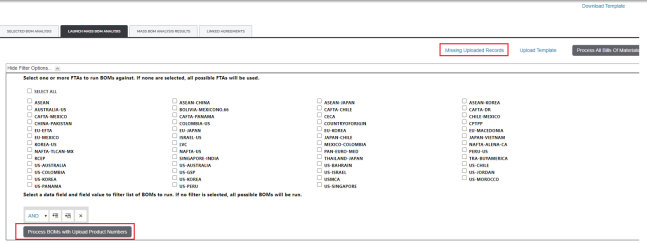
Analysis tab allows you to select one or more FTAs to run against the Mass BOM Analysis.The system has the ability to upload a list of ProductNum of Finished Good BOMs that need to be run through qualification without having to go in and select one by one. Clients are running these ProductNum of Finished Good BOMs, to determine qualification on the ProductNum.
To perform a Mass BOM Analysis, start by clicking
Upload Template
.
If there are any issues with records in the template, it will show in the
Missing Uploaded Records
link. Otherwise click Process BOMs with Upload Product Numbers
.
To perform a Mass BOM Analysis:
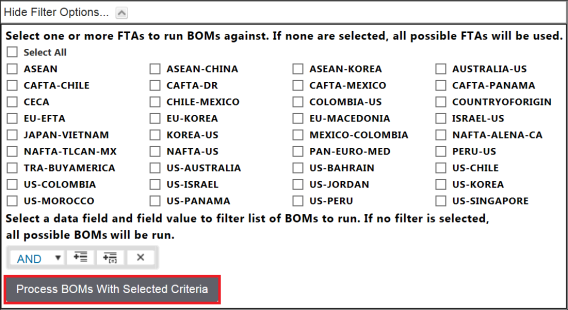
- Start by clickingShow Filter Options.

- From theFilter Optionslist, choose one or more FTAs to run against the Mass BOM Analysis.
- To select an FTA, check its corresponding box on the left. If no boxes are checked, all possible FTAs will be analyzed.
- After all required FTAs are checked, clickProcess BOMs With Selected Criteria.
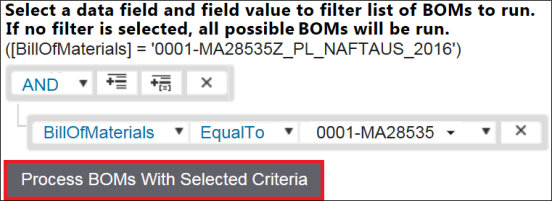
For additional restrictions on which BOMs are to be analyzed, you have the option of applying filters.
To add a filter:
- ClickANDorOR.
- ClickAdd Expression.
- Choose a field to filter and enter a value for the field. This step can be performed with multiple fields at once.
- ClickProcess BOMs With Selected Criteriawhen complete.
After
Process BOMs With Selected Criteria
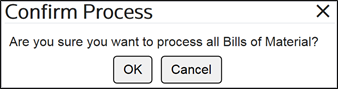
is clicked, the Confirm Process
pop-up will appear, asking for confirmation that the specified criteria are to be matched against existing Bills of Material.To proceed, click
OK
.To return to the Filter Options and set further parameters, click
Cancel
.
After the process is run, the system will replace any existing BOM results and give you the latest results based on the latest BOM data within the system. Wait for the mass workflow to finish running.
At any time, click
Refresh
at the top right of the screen to display the status of the mass analysis process (e.g. Analyzing 8 out of 60 Bills of Material).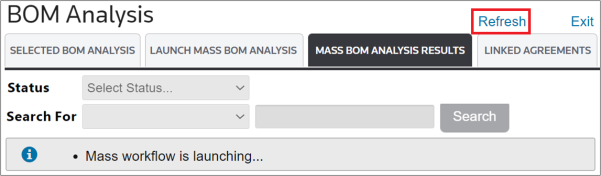
Related Content
-
FTA: BOM Analysis
Format: Article