
FTA: BOM Analysis - Review BOM Analysis Results
After
Submit
is clicked, the system will run each BOM against the selected FTA that met within the scope of the configuration. The grid on the Selected BOM Analysis
tab will update to display the following:- Which rule the BOM passed/failed, as well as the selected FTA
- A brief explanation for why the BOM passed/failed analysis
- Additional details in theDetails, Worksheet, andBOM Summarycolumns
Child Grid
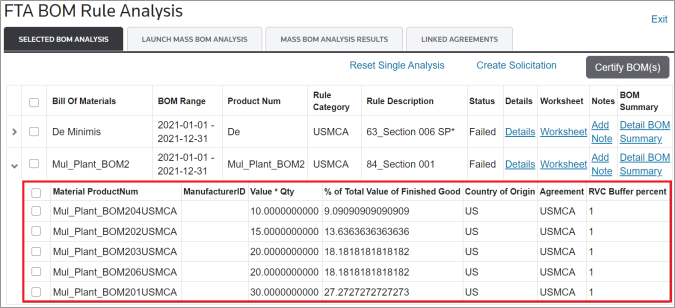
Some BOMs contain child (detail) information as well as parent information. Clicking on the expansion arrow on the far left of the grid will expand the child records for the selected BOM.

This information can be used to solicit and achieve a passing state for a BOM.
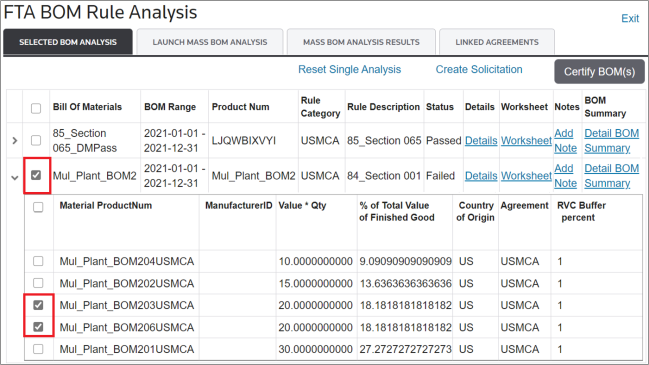
You can select checkboxes on either the parent or child level. This feature can be used to create a complete or partial solicitation.
Details
To review the full BOM to see how each component passed or failed, click
Details
. The details will include analysis results to help determine why a BOM failed or how a BOM qualified.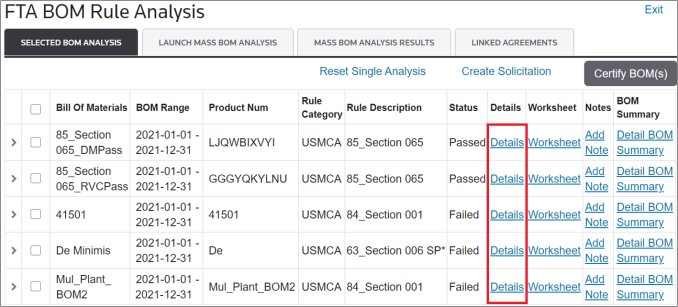
List of Fields in Details Pop-Up |
|---|
FTA |
Bill of Materials |
Product Type |
Product Number |
Product Desc |
Supplier |
COO |
Cert |
HS |
Qty Per |
Net Cost |
Transaction Value |
Component Percent |
FOB Value |
Orig FOB Value Pcnt |
Build-Up |
Build-Down |
If the BOM being reviewed has subassemblies (and if configured to do so), the lower level BOMs will contain an enabled hyperlink under the
Product Num
column.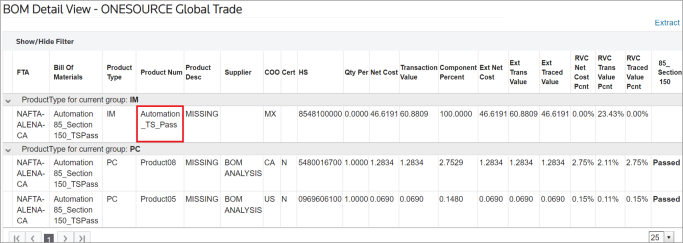
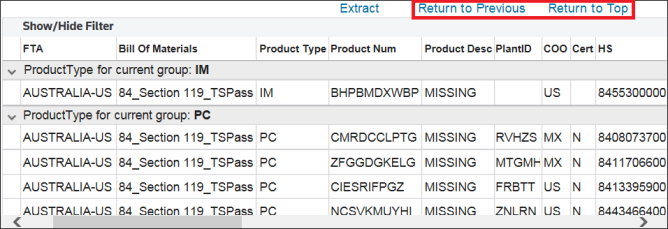
Clicking on a hyperlink will open a pop-up containing the detail report of the selected subassembly. The
Return to Previous
and Return to Top
buttons will appear next to the Extract
button. These buttons assist with navigating between the different sublevels of the main BOM using the same screen.Buttons |
Description |
|---|---|
Return to Previous |
Redirects you to the immediate up-level BOM. |
Return to Top |
Redirects you to the main BOM. |
Worksheet
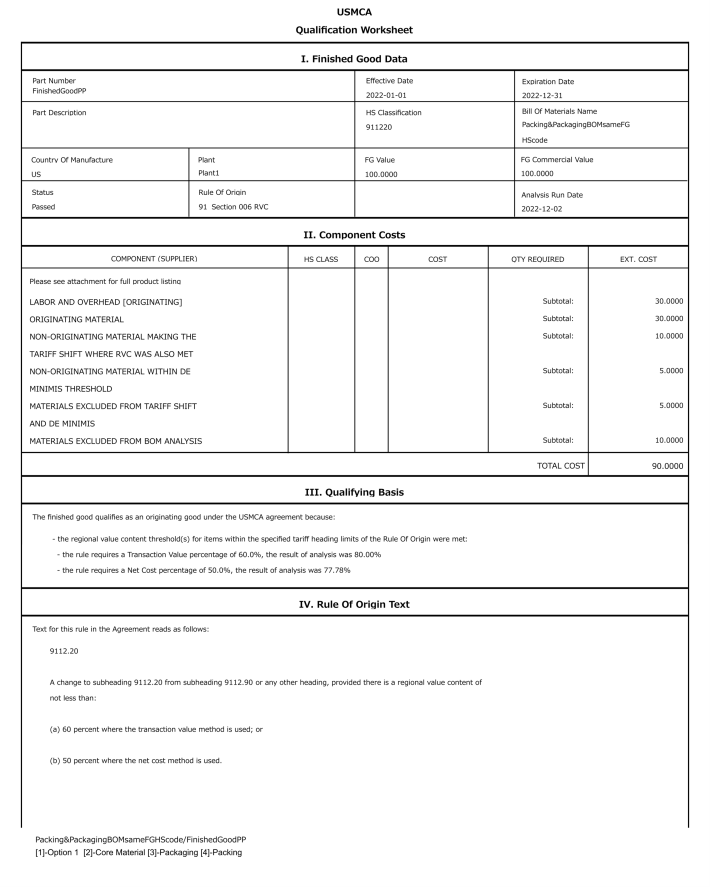
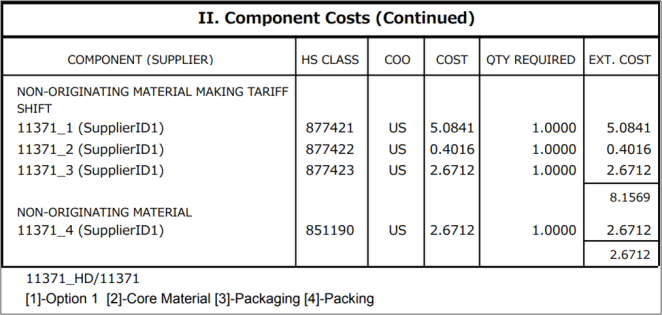
To load the BOM Worksheet Report, click
Worksheet
. This report provides the logic used by the system to analyze the BOM under the Rule of Origin. The % Required to Pass
field will show the remaining regional value content (RVC) necessary for the BOM to pass under the Rule of Origin, if applicable.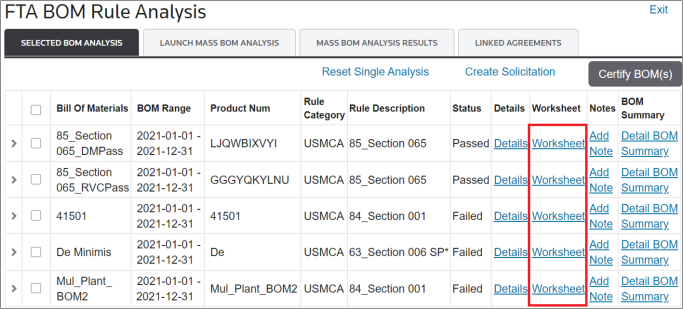
The
BOM Worksheet
provides a separate report showing the results of the analysis including:- The date the analysis was run
- The Rule of Origin used to determine eligibility, as well as all rule parts that pass analysis
- The outcome of the analysis
- De minimis exceptions (if applicable)
- Originating and non-originating non-essential material
To download the report, click on Worksheet link it will open a modal. By clicking on
Submit Report to Queue
link: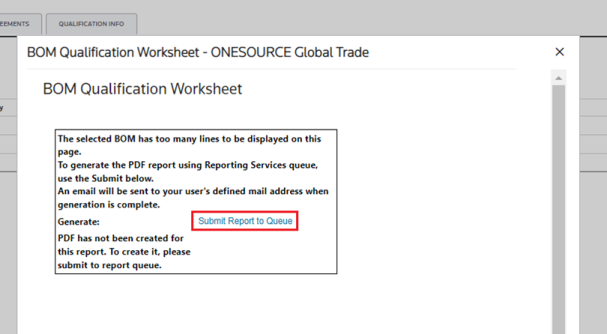
An e-mail will be sent to your inbox.
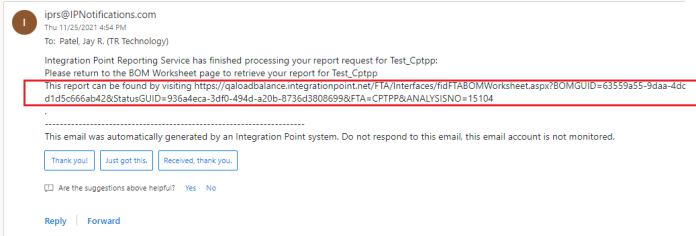
By clicking on the link, it will open a new tab, click on the
Download PDF
and it will download the Report.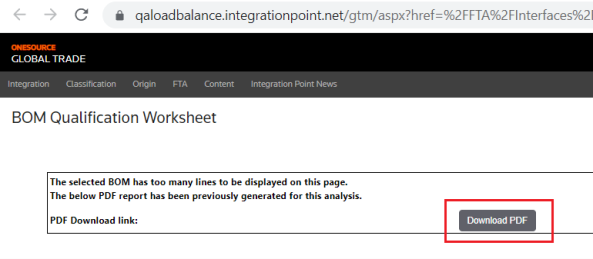
Detail BOM Summary
To load a BOM Summary, choose a BOM in the grid and click its corresponding
Detail BOM Summary
link.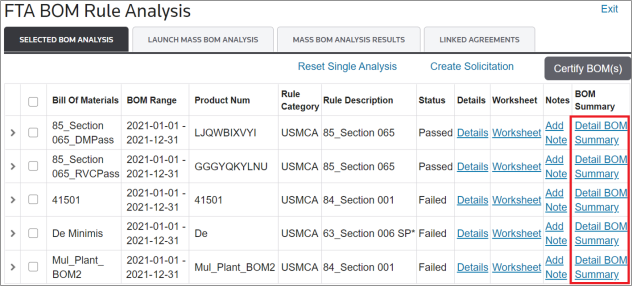
The Detail BOM Summary is an audit-proof report that shows the work and how the calculations were done. It can be used during audits or for Customs inquiries.
The
Detail BOM Summary
provides a separate report showing the results of the analysis including:- The Rule of Origin used to determine eligibility
- Determination Qualification Method
- All components of the BOM
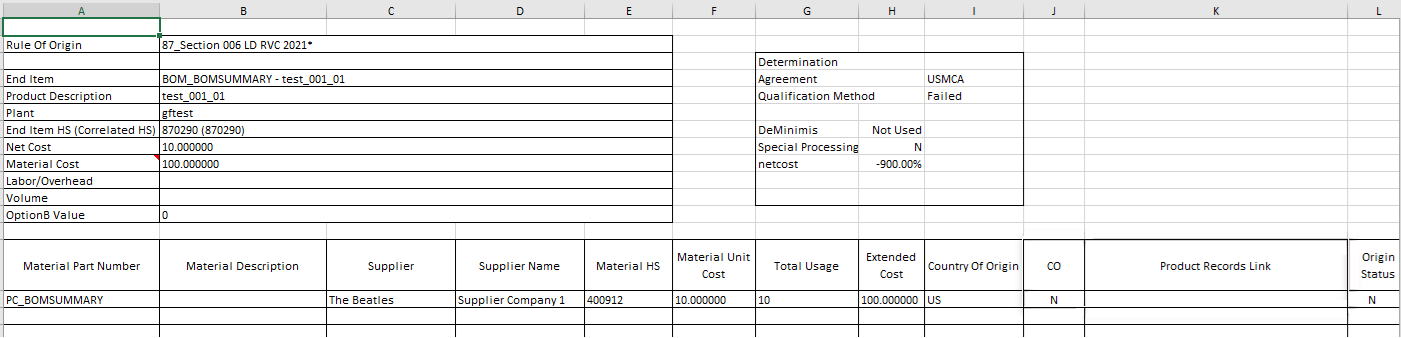
Detailed BOM Summary
If a correlated HS number is used on the BOM, the user will see the original value and the correlated HS on the Detailed BOM Summary.

Related Content
-
FTA: BOM Analysis
Format: Article