
FTA: BOM Analysis - Reviewing the Selected BOM Analysis Grid
After the products and FTAs are selected, review the contents of the grid below to see if any data is missing. The
Verify
field will inform you if any required data is missing. If Valid
appears in this column, then the BOM is ready for analysis.
The
View BOM
link will open an editable copy of the BOM. If any data elements are missing, they can be added on this screen.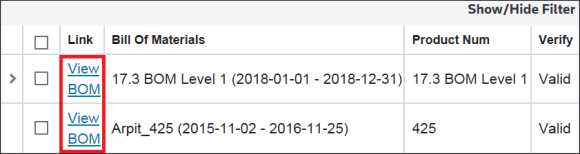
When dealing with Multi-Level BOMs, the subassembly parts will also be validated when the assembly part is selected. If the subassembly part has validation errors, the error will appear in the
Verify
field. Otherwise, it will show as Valid
. The subassembly part can be viewed by clicking the expansion arrow on the left.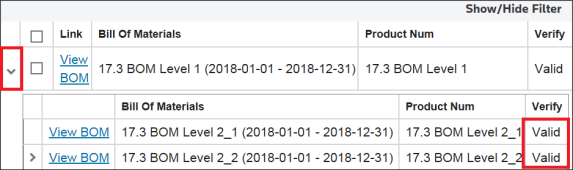
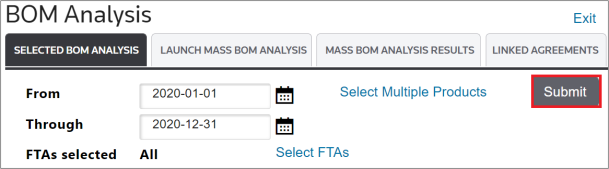
To select a BOM for analysis:
- Check the BOM’s corresponding box on the far left to select all BOMs.

- After the required BOMs are selected, clickSubmit.
Related Content
-
FTA: BOM Analysis
Format: Article