
FTA Audit Log - Failed BOM Reports
The
Failed BOM Reports
tab provides visibility to all BOM Analysis Results for any given BOM that has failed. This tab provides:- The Analysis Number containing the failed BOMs
- The Analysis Run Date
- The total BOM count in the analysis
- The Agreements the BOM was run against
- The Report Link containing the failed BOMs
To review a Failed BOM Report:
- Choose a Failed BOM Report from the grid.
- Click its corresponding hyperlink on the far right to open a pop-up containing a link.

- ClickSubmit the Report to Queue.

After
Submit Report to Queue
has been selected, an e-mail with a link to download the report will be received. Clicking on the link will redirect you to the Failed BOM Report tab where the PDF can be downloaded.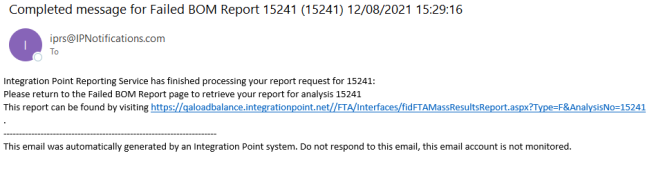
To view the PDF, click
Download PDF
.
See below for an example of the
Failed BOM Report
for an Analysis run.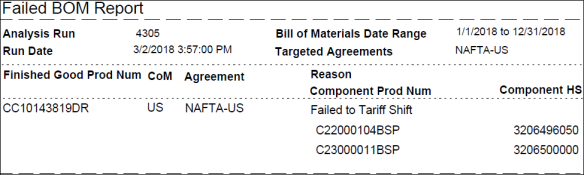
Related Content
-
FTA Audit Log
Format: Article