
FTA Certificates and Letters - Completing the Documents Tab
The
Documents
tab is used for adding customer information to a solicitation. If this information is required, add a record to the product. This can be done by clicking a button like the Add Customer
button.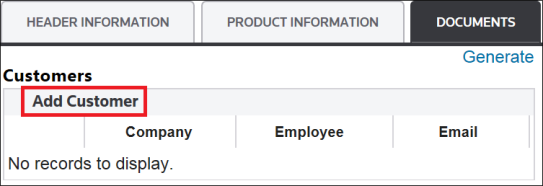
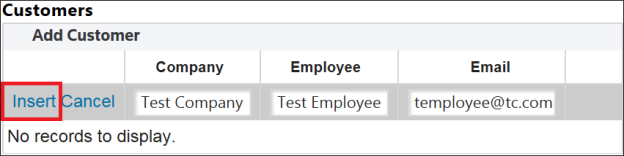
The following fields will become available for editing. Enter all required information.
- Company
- Employee
- Email
To add the line item, click
Insert
.To exit the grid without adding the line item, click
Cancel
.
Modifying Customer Information
To edit customer information:
- Choose a record on the grid.
- Click its correspondingEditlink on the far left.The fields will become read-write.
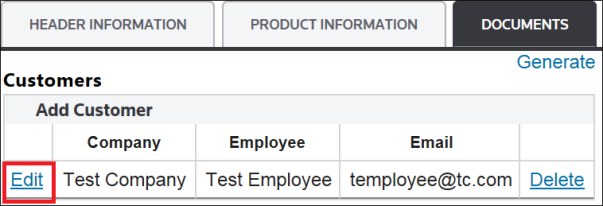
- Make any necessary changes.
- ClickUpdate.

Deleting Customer Information
To delete customer information:
- Choose a record on the grid.
- Click its correspondingDeletelink on the far right.
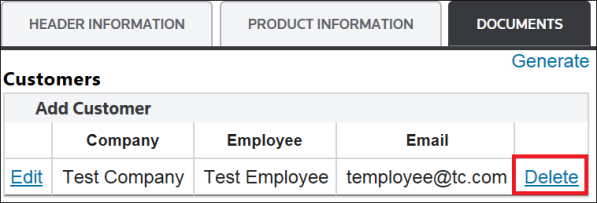
Related Content
-
FTA Certificates and Letters
Format: Article