
FTA Certificates and Letters - E-mailing Documentation
To e-mail an FTA Certificate or Letter, click the
E-mail Document(s)
link within the Customers
grid.
Clicking
E-mail Document(s)
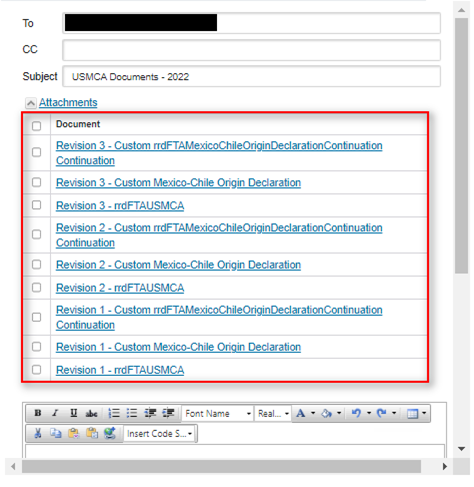
will open an e-mail pop-up. The recipient information will automatically populate with the Company E-mail from the Customers
tab. The Subject will automatically populate with the agreement and year of the generated documents.Edit the recipient information and subject as needed, and add a message to the e-mail.
To add an attachment, click
Attachments
. All available documents for the e-mail will appear in a small grid.To select a document, check its corresponding box. Either scroll down using the scroll bar or click the
Attachments
link again to display the Send
link.After the e-mail is ready to be sent, click
Send
.
Related Content
-
FTA Certificates and Letters
Format: Article