
FTA Certificates and Letters - Loading an Existing Certificate
To load an existing certificate:
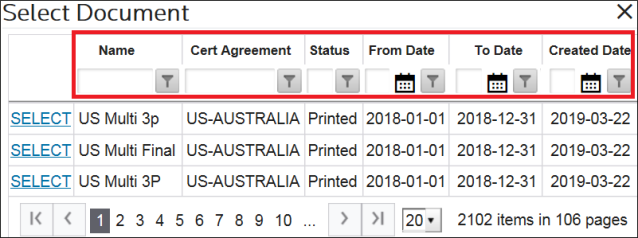
- ClickSelect Documentto open theSelect Documentpop-up which contains all existing certificates.

- Choose a certificate from the grid.
- Click its correspondingSELECTlink on the far left.

If the required certificate is not immediately visible, the columns in this pop-up can be filtered to further narrow down results.
After
SELECT
is clicked, the pop-up will close and the screen will return to the Header Information
tab. Any information previously associated with the certificate will populate in all three tabs. Please refer to the Creating a New Certificate
section below for information on how to edit, generate, void, or copy an existing certificate.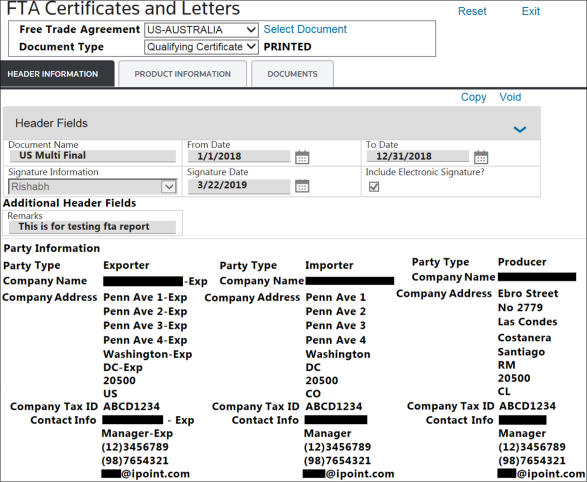
Related Content
-
FTA Certificates and Letters
Format: Article