
FTA Certificates and Letters - Voiding Certificates
If a successfully generated certificate or document needs to be voided:
- Open the certificate or document in theFTA Certificates and Lettersscree.
- Navigate to theHeader Informationtab.
- At the top right corner of the tab, clickVoidto open theVoid Criteriapop-up.

- Choose aVoid Reason Codefrom the drop-down.
- Enter aVoid Explanationif needed. Void reasons include:
Void reason | Description |
|---|---|
COMPL | Non-Compliance |
SUPLR | Supplier Issue |
DATA | Data Entry Error |
XSUPL | Changed Sourcing |
To void the document, click
Void
.To drop changes and return to the Header Information tab, click
Cancel
or X
.
If
Void
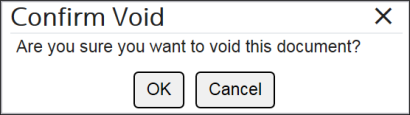
was clicked, a separate pop-up (Confirm Void) will open, requesting confirmation that the document is to be voided.To void the document, click
OK
.To drop changes and return to the
Void Criteria
pop-up, click Cancel
or X
.
After
OK
is clicked, the screen will redirect to the Header Information
tab.The document status will now display as
VOID
rather than printed. The Void Reason Code and Void Explanation will display at the top of the Header Information
tab.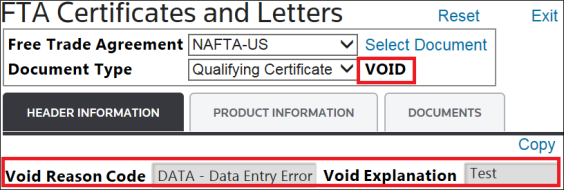
Related Content
-
FTA Certificates and Letters
Format: Article