
FTA: Product Records - Modifying an Existing Product Record
To modify an existing product record:
- Choose a record from the grid.
- Click its correspondingEditlink on the far left to open theEdit Product Recordpop-up.

- Make any necessary changes to the fields listed.
- ClickSave.
important
Some fields (e.g. Accumulation Value) may be agreement-specific and only appear when one of the impacted agreements (e.g. CPTPP) is selected from the
FTA
drop-down.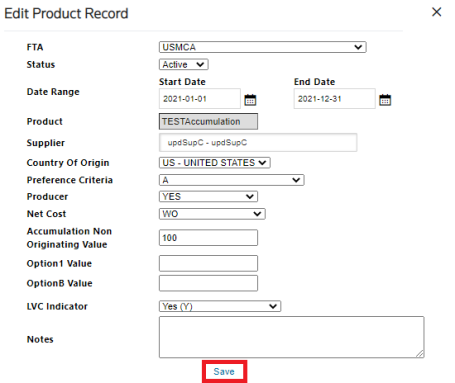
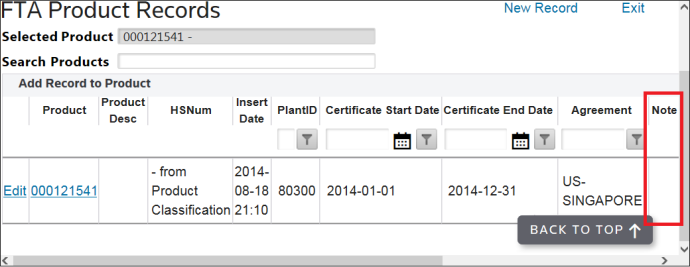
The system will display all certificates related to the specified product number. Certificates provided by a Supplier and approved by the Requestor will have a
Note
with the description of Inserted by a Document Request
.
Certificates attached during the approval process are linked under the
Docs
column.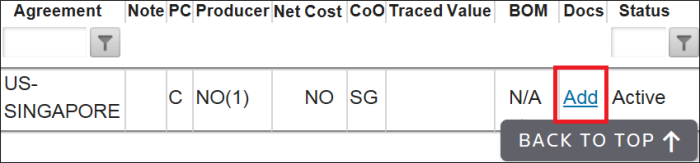
Associated Bills of Material can be linked by clicking the link within the
BOM
column.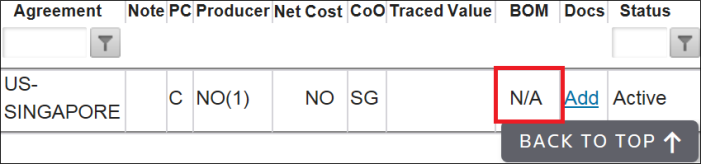
It is possible to download the worksheet report by clicking on the BOM link.
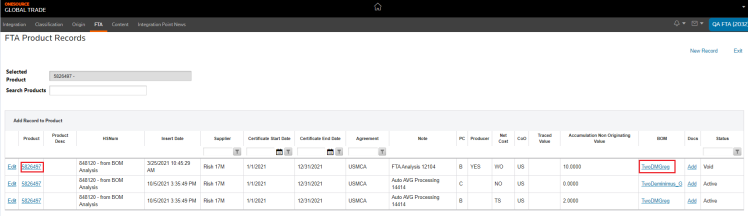
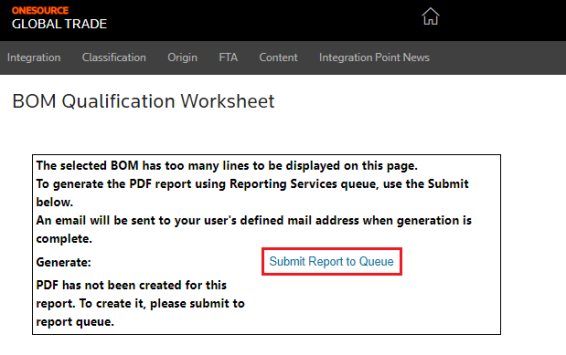
A modal will open then click on
Submit report to Queue
.
An e-mail will be sent to your inbox.
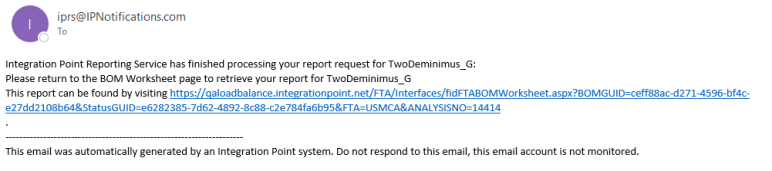
By clicking on the e-mail link a new page will open and the PDF can be downloaded.
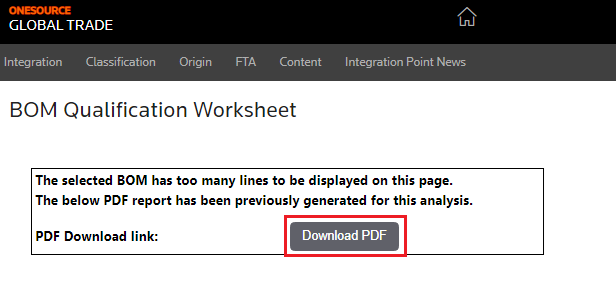
Additional documents can also be added by clicking the
Add
link under the Docs
column.Clicking
Add
will open the Document Retention
pop-up. Complete the following details to attach the document(s):Details | Description |
|---|---|
Form Type | The default of the FTA will already be populated. |
Identifier | Click Search to choose a product number. |
Doc Access Type | Choose between Public andPrivate . |
Document Type | Choose from a number of different document types. |
Location of File | Use the Browse button to select the file from your local hard drive. |
Memo | Additional information to be stored within the document. |
After the document has been selected and all necessary fields have been completed, click
Attach Document
to add the document to the list of attachments along with the document information entered in the fields.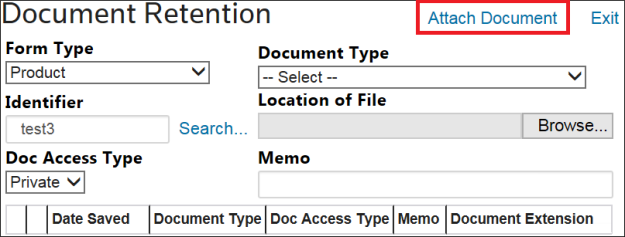
Documents can be updated or deleted by clicking the
Edit
or Delete
links.The
Product FTA Records
screen also stores all finished goods that have been qualified through BOM analysis. Eligible products will have a description of FTA Analysis
.Related Content
-
FTA Product Records
Format: Article