
FTA: Solicitation Administration - New Solicitation
To create a new solicitation:
- ClickNew Solicitationto open theSolicitation Managementscreen.

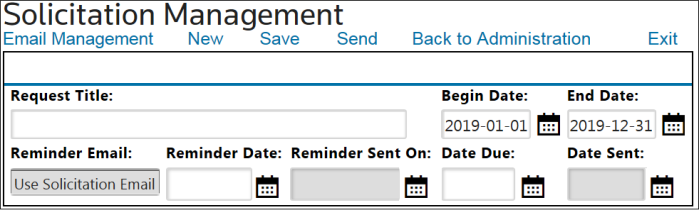
- Complete the data entry fields listed in the table below.
- ClickSave.
Fields | Description |
|---|---|
Request Title | Enter the name of the solicitation. If needed, titles can be edited after being saved. |
Begin Date | Enter the start date for the solicitation period. |
End Date | Enter the end date for the solicitation period. |
Due Date | Enter the due date by which the Supplier must complete the solicitation. |
Reminder Date | Enter a date for the Supplier to receive an automated e-mail reminder to complete the solicitation by the due date. |
After the header information has been saved, the
Solicitation Management
screen will display a confirmation that the solicitation was successfully saved.
Related Content
-
FTA: Solicitation Administration
Format: Article