
FTA: Solicitation Administration and Solicitation Management - Note Detail (Creating Internal Notes)
After a solicitation has been saved, internal notes can be attached to the solicitation. Internal notes are used for communicating information about a solicitation to other internal users or for capturing details related to a specific solicitation. This information is not shared with suppliers.
Each internal note is stored independently with the date, the time, and the username of the user who entered the note. You can add them from the
Solicitation Administration
screen or Solicitation Management
screen, as you can see described in the following two sections.From Solicitation Administration screen
To create an internal note.
- Navigate to the solicitation line you want to include a note and clickNotes.

- ClickingNotewill open the Note pop-up. Enter the content of the note in the box, and then clickAdd.

- After the note has been added to the solicitation, the note details will appear in the grid. You can clickxto close or add a new note by following the instructions described above.

From Solicitation Management screen
- Navigate to theNote Detailsection of theSolicitation Managementscreen and clickAdd Note.

- ClickingAdd Notewill open the Add Note pop-up. Enter the content of the note, and then clickAdd.

- After the note has been added to the solicitation, theSolicitation Managementscreen will display a confirmation that the note was successfully added.

The note will then appear in the
Note Detail
grid.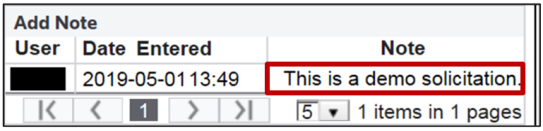
Saved internal notes can be viewed for later reference by clicking a link in the
View/Add Notes
column of the Solicitation Administration
screen.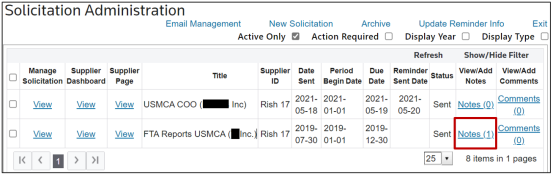
Related Content
-
FTA: Solicitation Administration
Format: Article