
FTZ Management: ABI Entry Filing - CF3461 Weekly Estimate, CF7501 Weekly Entry, PGA Mapping and ABI Responses
CF3461 Weekly Estimate
In a weekly entry filing environment, a CF3461 must be filed with CBP prior to the zone week in which goods will be withdrawn from the zone. The
CF3461 Weekly Estimate
screen is used for reviewing these entries.This screen can be accessed by choosing
CF3461 Weekly Estimate
from the Reports
menu.To transmit a CF3461 to CBP:
- Check theGenerate ABIbox.
- ClickGenerate.
important
Responses from CBP will be visible using the
ABI Responses
screen.For more information on creating a CF3461, refer to the
CF3461 Weekly Estimate and Individual 3461
section of this User Guide.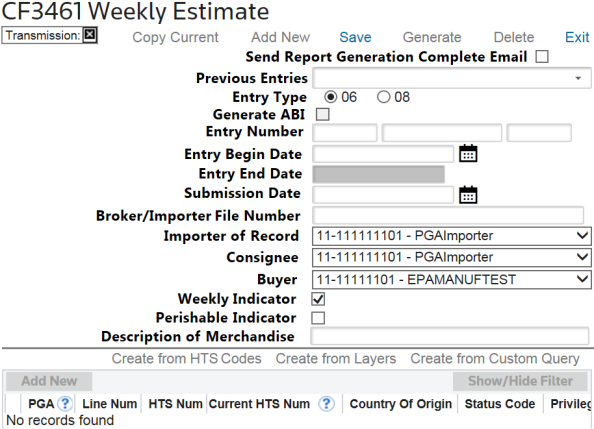
CF7501 Weekly Entry (Reports)
In a weekly entry filing environment, a CF3461 must be filed with CBP prior to the zone week when the goods will be withdrawn from the zone. The
CF3461 Weekly Entry
screen is used for this purpose and can be accessed by choosing CF3461 Weekly Entry
from the Reports
menu.At the end of each zone week, any goods brought into U.S. Customs territory must be reported on a weekly CF7501. If the actual quantity of goods exceeds what was previously reported, you must submit another CF7501 to account for the overage. This additional filing is called a supplemental.
The CF7501 is transmitted to CBP by checking the
Transmit ABI
box when generating the CF7501 report on the Reports/CF7501 Weekly Entry
screen.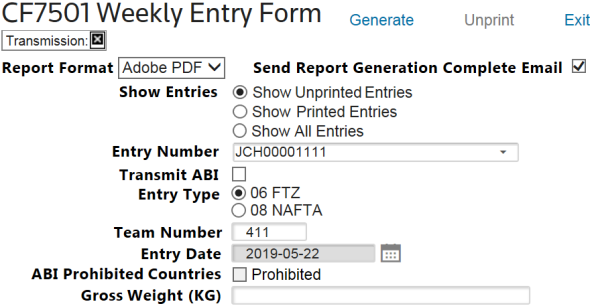
Responses from CBP will be visible using the
ABI Responses
screen under the ABI menu.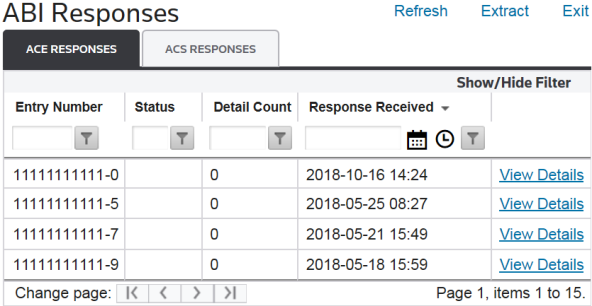
If ACH payments are to be made, a statement date must be selected when transmitting the CF7501 to CBP. The statement date must be at least one business day after the date the entry is filed and within ten business days of the estimated start date.
Report generation is available in Adobe PDF (default), Word Document, and Excel Spreadsheet formats. Users can choose this option in the
Report Format
drop-down. Send Report Generation Complete Email
will send an email so other tasks can be performed while the 7501 is generating. To proceed without a confirmation e-mail, uncheck this box.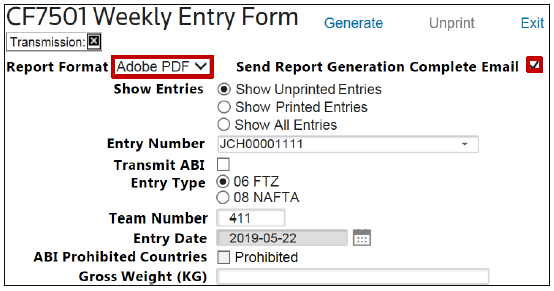
When generated, the
Tariff Detail
report (if configured) will display an additional breakdown of the tariff information of each line on the continuation as well as the products being included within each line.
Similar to the CF3461, a CF7501 can be accepted by CBP paperless (
Paperless Filer Retain Records
) or with documents required (Accepted Records Required
). If documents are required, they will need to be collected and sent to CBP.If the
Entry Summary Accepted with Warnings
message appears, there are Census warnings tied to the CF7501. Review these warnings to determine if corrections are needed. If no corrections are needed, no further action needs to be taken regarding the warning.PGA Mapping
Some Participating Government Agencies (PGAs) require reporting at the time of submitting a weekly CF7501-06 entry.
To add PGA data to a CF7501:
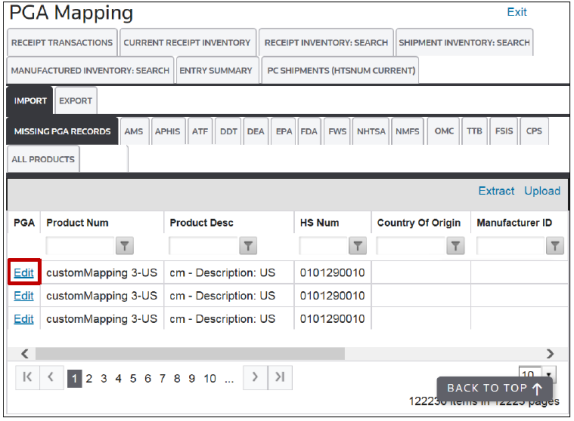
- Open thePGA Mappingscreen from theAssignmentmenu.importantOn this screen, the user has the option to add PGA data to receipt layers, shipments, or tariff lines as applicable. This screen also displays a list of agencies the user may need to report the CF7501-06 entry to, as well as whether the data is required or optional.
- From this screen, the user can run validation on all visible transactions in the grid. PGA data for that transaction can be added or edited by clicking Edit at the left side of the grid.
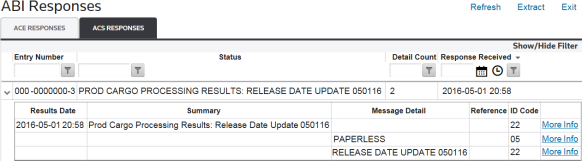
ABI Responses
The
ABI Responses
screen is used for viewing CF3461 and CF7501 entry responses from CBP. This screen is accessed by choosing ABI Responses
from the ABI menu.ABI Responses (Status Messages) |
|
|---|---|
Cargo Release Data Certified |
CBP received the CF3461. |
Accepted Paperless |
CBP accepted an electronic/paperless version of the CF3461. |
Docs Required |
CBP requires paper documents for the CF3461. |
Release Date Update |
An updated release date from CBP. For paperless CF3461s, this update will appear almost immediately. If documents are required, the user will have to submit the paperwork to CBP before any update messages are received.
important
Goods should not be shipped from the zone until the “Release Date Update” message is received from CBP. |
The screen provides an overall status and error count.
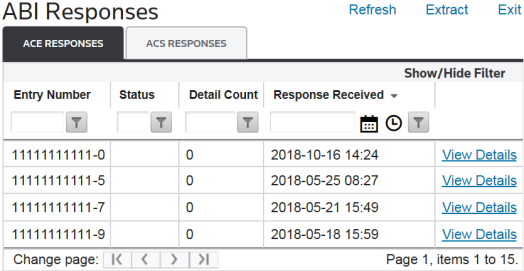
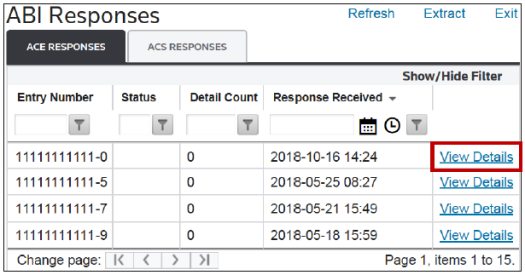
To view details on an error or record, choose a record from the grid and click
View Details
.
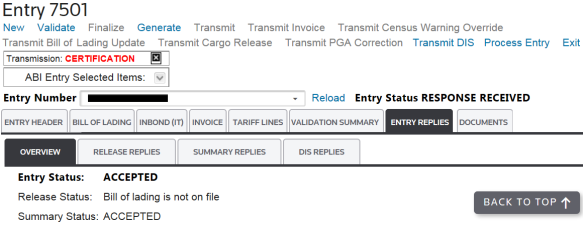
Details are shown below in the response summary. Any errors returned by CBP will appear here.
Related Content
-
FTZ Management: ABI Entry Filing and Weekly Entry Overview
Format: Article