
FTZ Management: Tools - Shipment-to-Receipt Traceability in Form Tracer
The
Form Tracer
screen is used for tracing shipment documents (ExitDocIDs) back to the respective receipt layer information which those shipments consumed and vice versa. This tool gives visibility into the FIFO consumption details at the transactional level for any given ExitDocID or ReceiptDocID.This screen can be opened by choosing
Form Tracer
from the Tools
menu. The Form Tracer generates two types of reports: Shipments or Receipts.Form Tracer (Fields) | Description |
|---|---|
Form Type | Select Shipment or Receipt from this drop-down, depending on which report the user wishes to generate. |
Form Number |
|
View | Select Detailed View or Summary View from this drop-down. |
From | Select Archived Shipments or Recent Shipments from this drop-down.
|
Part Number | Product number to search on. Not required to perform search. |
Order Number | Order Number to search on respective to form type selected. Not required to perform search. |
Line Num | Line number to search on for CF7501. Only available for Shipment form type. Not required to perform search. |
Export Format | Use this drop-down to select the report format: Word document, Excel spreadsheet, or Adobe PDF. |
Original View | Display this report in the old classic interface view. |
Submit | Retrieve the transactions for the report. |
Extract | Extracts the transaction report in the file type specified in Export Format . |
Once the fields have been completed, click
Submit
to retrieve the transactions for the report. A grid with matching data will then appear at the bottom of the screen.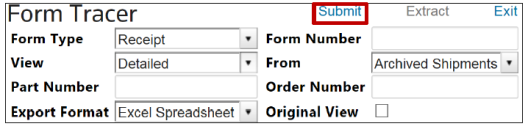
The
Extract
link also becomes active, meaning the user can extract this report to format specified in the Export Format
field. Filters can be used to narrow down returned information after the Form Tracer
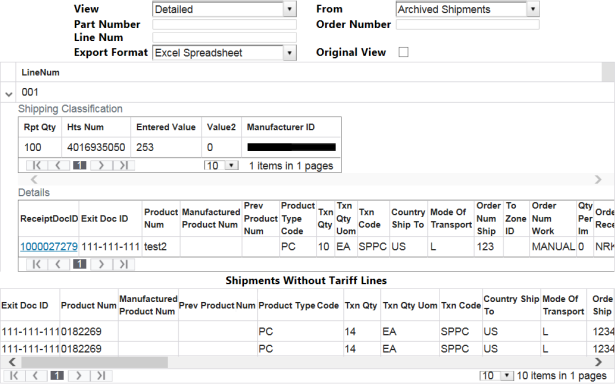
screen finishes generating, but filters will not be applied to the extracted documents.Customers that have request that the ShipPCLinks feature be turned on will see a slightly different layout. The new layout shows line level detail of receipts, shipments and provides clickable links to move between the details of the 214 and entry.
Related Content
-
FTZ Management: Tools Overview, Task Manager, and FTZ Search
Format: Article