
FTZ Management: Tools - Handling Shipment Quantity Mismatches in Pending Adjustments
During processing, some shipment transactions for a product may not have enough inventory in stock. This will result in a
Pending Shipment
. Pending shipments result from mismatches between receipt and shipment quantities.The
Pending Adjustment Creation
screen allows the user to perform positive adjustments to resolve inventory discrepancies, which will in turn resolve the pending shipment.This screen can be opened by choosing
Pending Adjustments
from the Tools
menu.The
Initiate Inventory Processing
screen must be Finalized
prior to generating any adjustments.To perform an adjustment:
- ClickCreate Transactions. The system will automatically generate positive adjustment transactions for the affected products.
- ClickValidate Transactionsto process the adjustment.
This action will redirect to the
Validation Status
screen. From there, process the adjustment transactions as normal.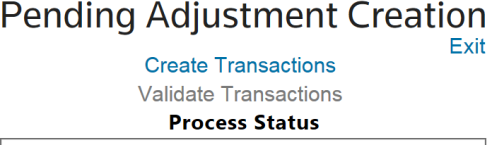
 Article