
FTZ Management: Assignment - Release Scrap Hold
The
Release Scrap Hold
screen is used for releasing scrap transactions from inventory and reporting scrap transactions to CBP. This screen can be accessed by choosing Release Scrap Hold
from the Assignment menu. During the scrap reporting period (daily/weekly/monthly), the system accumulates all scrap transactions into the Release Scrap Hold
grid.Assigning a Scrap Entry Number to a Transaction
To assign a Scrap Entry Number to a transaction:
- ClickFill All > Release.
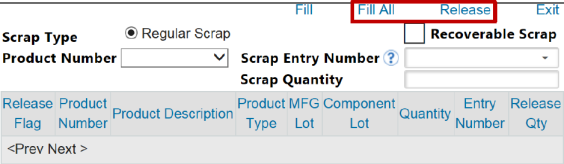
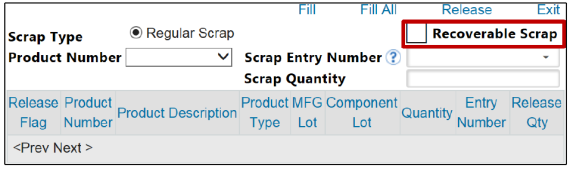
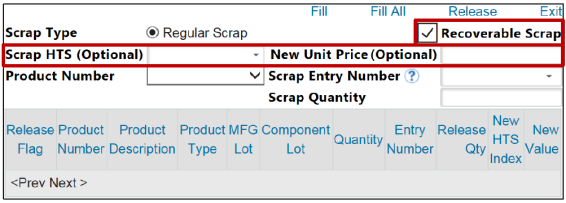
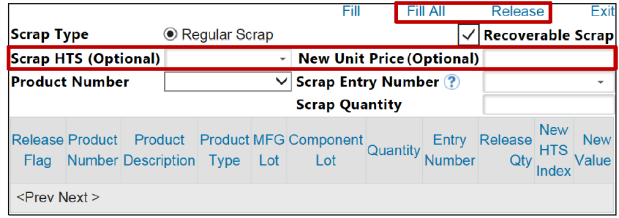
- To report the scrap on an Entry Summary, check theRecoverable Scrapbox. Activating theRecoverable Scraptoggle will trigger two additional fields (Scrap HTSandNew Unit Price) to appear on the screen. These fields are optional but can be used to enter further information regarding the scrap.
- Enter all necessary information, then clickFill All > Release.
Releasing Scrap Transactions by Product Number
To release scrap transactions by product number:
- Choose a product from theProduct Numberdrop-down, then clickFill.
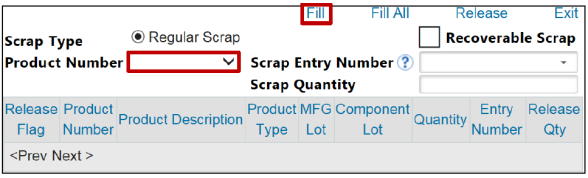
- To report the scrap on an Entry Summary, check theRecoverable Scrapbox.
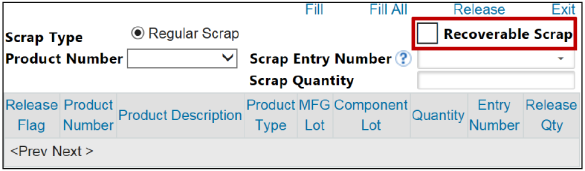
Release Scrap with Scrap Quantity

The
Scrap Quantity
field is utilized for scrapping partial quantities of a product.For example, if you were approved to scrap a quantity of 5 for Product Number A and, before the approval was made, you added more scrap to your system for a total of 10; you could then use the
Scrap Quantity
field to scrap a quantity of five (5) rather than release the full quantity of 10.If the
Fill
or Fill All
options are used, the Scrap Quantity
field can be used for a maximum value rather than a summation.For example, if you used Fill All and only had three products in your scrap hold (Product A with a quantity of five (5), Product B with a quantity of five (5), and Product C with a quantity of 10) then you could enter a quantity of eight (8) in the
Scrap Quantity
field to release the scrap. This would result in the full quantity of Products A and B being released (since eight (8) is greater than five (5)), and Product C should release a quantity of eight (8) out of the total of 10.Activating the
Recoverable Scrap
toggle will trigger two additional fields (Scrap HTS
and New Unit Price
) to appear on the screen. These fields are optional but can be used to enter further information regarding the scrap. Enter all necessary information, click Fill All > Release
.
Processed scrap transactions can be later reported on the Scrap Pro Forma report.
 Article