Deleting a Custom HS Mapping
To delete a custom HS Mapping, choose a mapping to remove from the grid and click its corresponding
Delete
link on the left.
Clicking
Delete
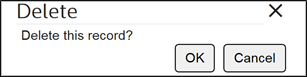
will open a confirmation pop-up for the deletion.Click
OK
to proceed or Cancel
to drop changes and return to the Edit Custom Mappings
screen.