
One-to-Many HS Mappings
The
One-to-Many HS Mappings
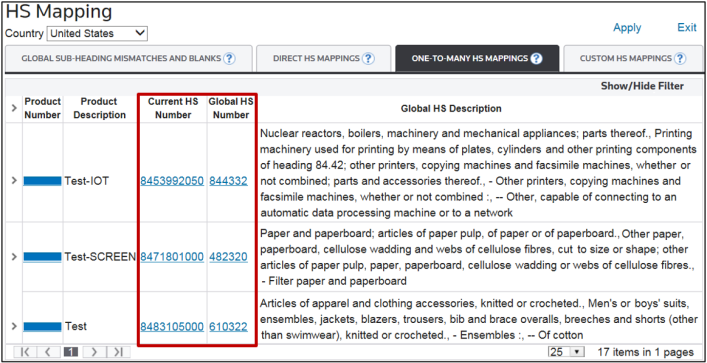
tab contains a list of products that have been classified at the 6-digit Global level but have mismatched HS data at the Country level. This could mean either:- A fully qualified HS Number does not exist in the country-specific HS Record.
- The first six (6) digits of the Global HS Number do not match. Additionally, for these Global HS Numbers, the Global Trade Content system determined that multiple country-level HS Numbers exist to choose from.
In order to select the appropriate fully-qualified tariff number to classify the product with, use the following resources:
If additional information is needed about the product, click the Product Number link to open
Edit Classification
.
If additional information is needed about the Current HS Number or Global HS Number, click an HS Number link to open
Global Tariffs Detail
.
Once completing research for a product, click the product’s corresponding expansion arrow on the far left.

Beneath the product, a full list of every fully-qualified HS Number for the country will appear. The first 6 digits will come from the WCO Global HS Number.
Choose the fully qualified HS Number appropriate for the product by checking the HS Number’s corresponding box on the far left. Since the system will not allow multiple HS Numbers to be selected at the same time, only one box can be checked.

Click
Apply
.
A confirmation pop-up appears. Click
OK
to proceed with the changes or Cancel to drop changes and return to the HS Mapping
screen.
The screen updates the product’s country-specific HS Number to the valid, fully qualified HS Number selected from the smaller grid. Once the update is accepted, a validation message will appear on the screen:

.